
AI Exam Prep: How to Study Smarter (and Honestly) for Any Test
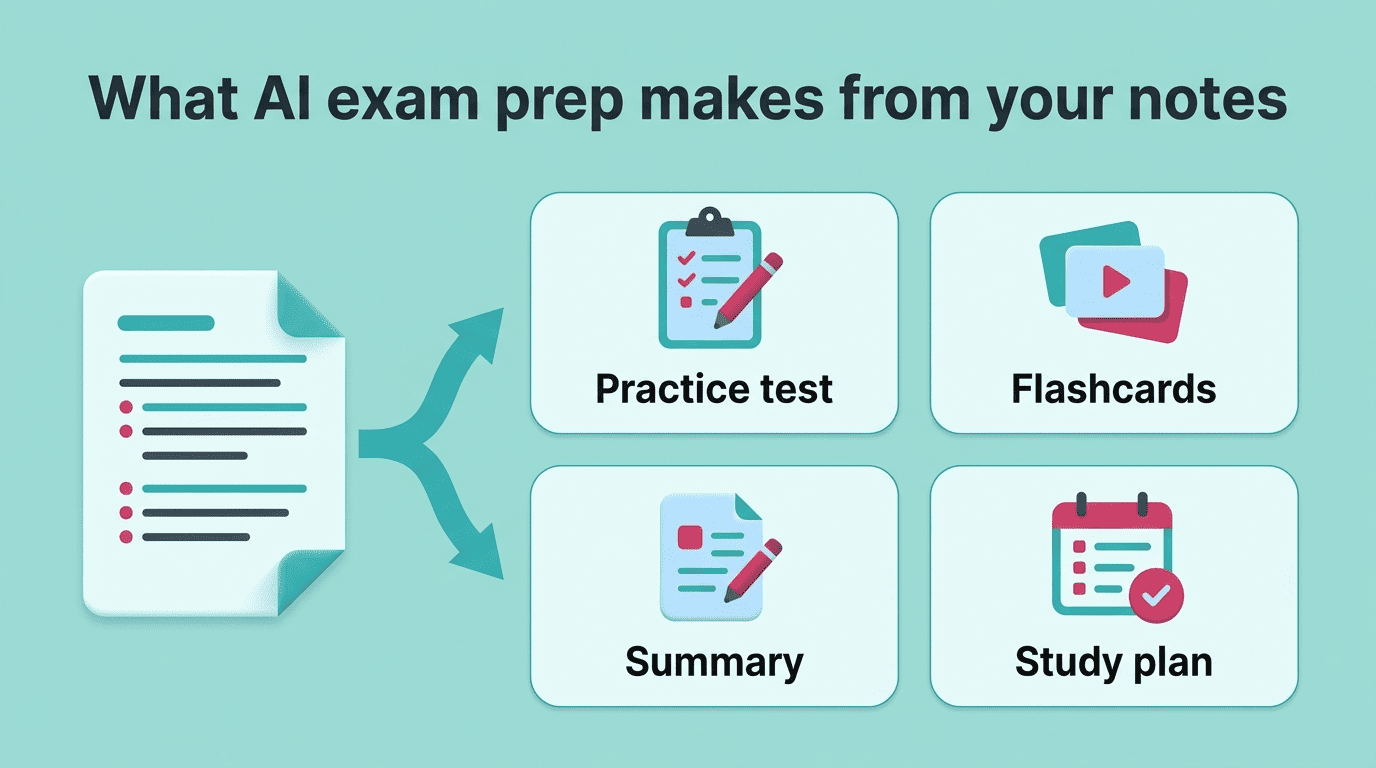
AI exam prep means using AI to turn your notes, slides, and textbooks into practice tests, flashcards, and a study plan, so you spend exam week actively recalling material instead of just re-reading it. A good ai study tool can build a full practice set from your own material in minutes, based on the same active-recall workflow the University of Florida Business Library recommends for studying and exam prep.
Done right, it’s one of the most effective ways to study. Done wrong, it’s either useless busywork or outright cheating. Here’s how to use it the smart, honest way.

What Is AI Exam Prep?
AI exam prep is using AI tools to prepare for a test: generating practice questions, building flashcards, summarizing material, and organizing a study schedule from your own notes and readings. It’s not about asking a chatbot to explain a topic once and hoping it sticks — it’s about converting passive material into something you can actively test yourself on.
A plain-English definition
Tools built specifically for this space have grown fast. Mindgrasp reports more than 5 million students using its platform, and Studley has crossed 1 million students. That scale reflects a real shift: instead of copying notes by hand or making flashcards one at a time, students feed source material into an AI exam prep tool and get a ready-made study kit back.
What it can produce from your material
Feed in a PDF, lecture slides, a recorded class, or a YouTube video, and an AI exam prep tool can output several things at once:
- A practice test with exam-style questions
- A flashcard deck built for active recall
- A condensed summary of the key concepts
- A study plan that spaces sessions across the days before the exam
Those four outputs are the raw materials of active studying — the AI just gets you to them faster than doing it by hand.
How to Use AI to Study for Exams (Step by Step)
There’s a difference between “asking AI questions” and running a structured study process. The second one is what actually moves the needle before a test.
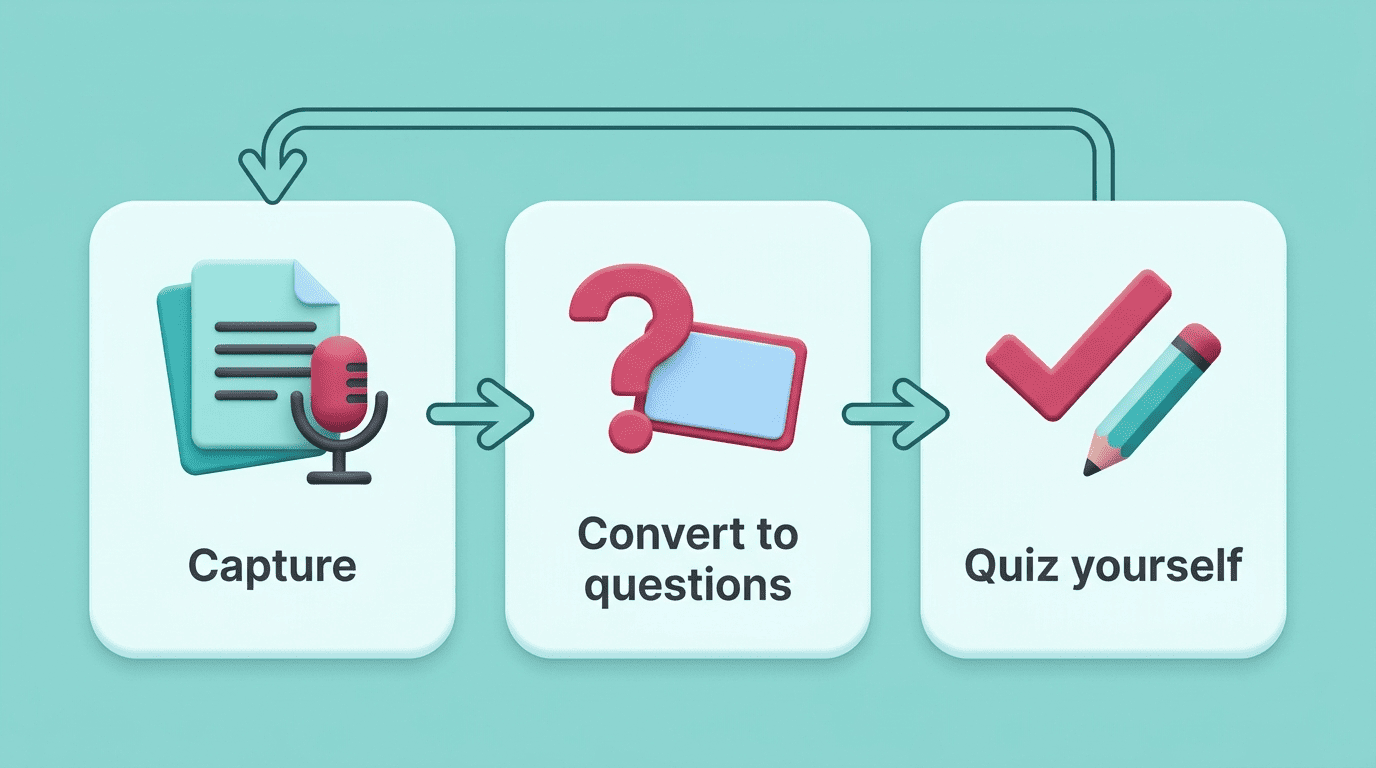
The core loop: capture, convert, quiz
The University of Florida Business Library recommends a workflow that maps well onto AI exam prep tools: ask the AI to generate practice questions or summaries from your notes, then request harder questions or explanations for what you got wrong, then confirm you actually understand the material rather than just recognizing it.
Explain the concept in your own words or ask the AI to quiz you to confirm your understanding.
University of Florida Business Library
That loop is the whole system: gather your source material, convert it into questions or flashcards, then actually quiz yourself on it instead of re-reading.
A simple step-by-step process
- Upload your notes, slides, or a recorded lecture to an AI exam prep tool.
- Ask it to generate a practice test covering the full range of topics, not just the easy ones.
- Take the practice test without looking at your notes.
- Ask the AI to explain why each wrong answer was wrong.
- Generate flashcards for the specific concepts you missed.
- Space out review sessions over the following days instead of cramming them into one.
- Before the exam, explain the hardest concept out loud in your own words, with no notes and no AI.
Prompts that actually work
Instead of “explain this chapter,” ask the AI to write 10 exam-style questions on the chapter, then quiz you one at a time and explain why you’re wrong when you miss one. A structured prompt like that turns a general-purpose chatbot into something closer to an adaptive tutor, rather than a search engine that hands you a paragraph to skim.
The Science: Why AI Practice Tests Beat Re-Reading
AI exam prep tools work because they lean on two well-documented learning strategies, not because AI is inherently magic.
Active recall drives the testing effect. Testing yourself is not just measurement — it’s learning in its own right. Pulling an answer out of memory strengthens that memory more than seeing the same information again. Researchers call this the testing effect, and it’s the reason a self-generated quiz beats a fifth read-through of the same chapter.
Spaced repetition beats cramming. Reviewing material once and moving on lets it fade fast. Spaced repetition spreads reviews across increasing intervals so information moves from short-term into long-term memory, which is exactly what AI flashcard scheduling is designed to automate.
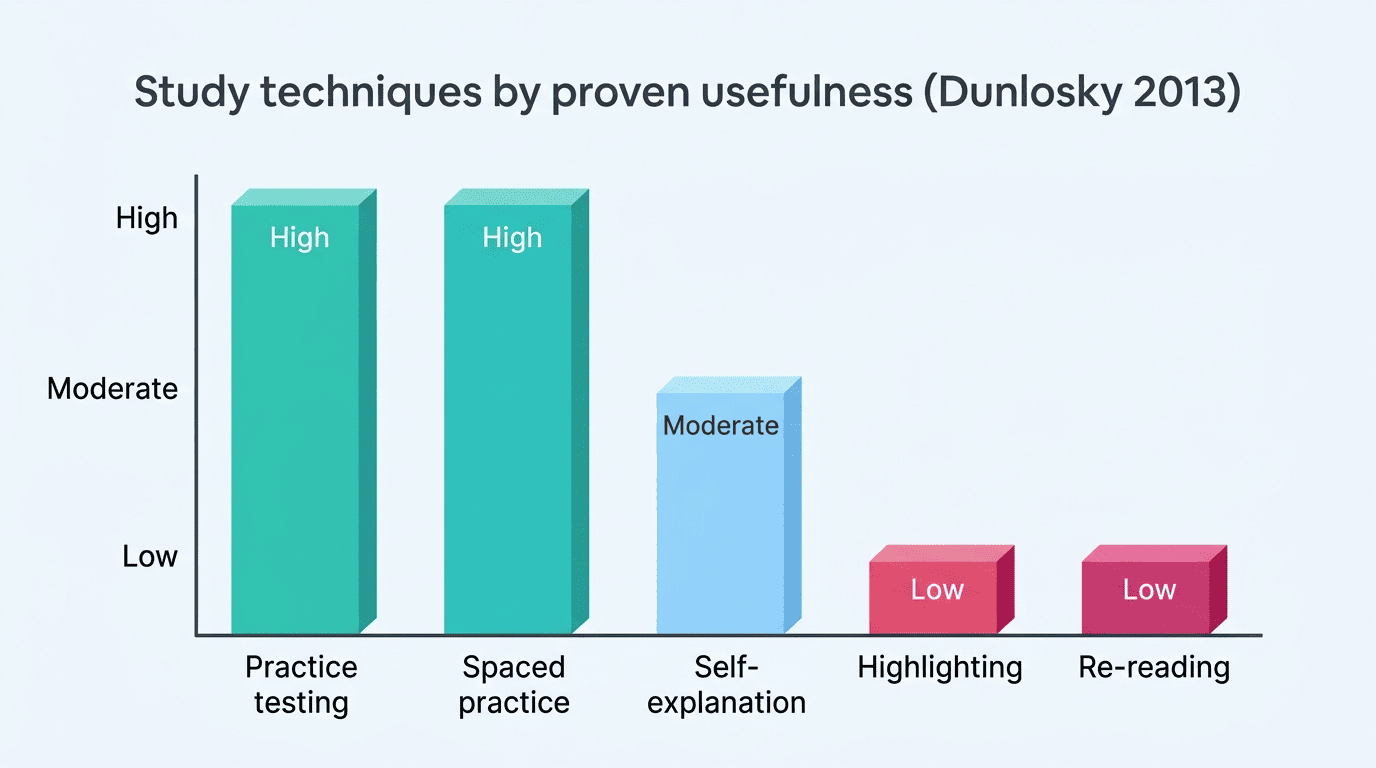
A landmark 2013 review by cognitive psychologist John Dunlosky and colleagues evaluated ten common study techniques and rated practice testing and distributed (spaced) practice as the two highest-utility strategies of the group — both well ahead of habits like highlighting or re-reading, which the review rated low-utility despite being the most common way students actually study.
| Study technique | Dunlosky (2013) utility rating | How AI exam prep applies it |
|---|---|---|
| Practice testing | High | AI-generated quizzes and practice tests |
| Distributed (spaced) practice | High | AI flashcard scheduling over days |
| Self-explanation | Moderate | “Teach it back” without notes |
| Highlighting | Low | Not automated — largely discouraged |
| Re-reading | Low | Replaced by active recall |
This is why AI-generated quizzes work as a study method: they force retrieval instead of recognition, and combining AI flashcards with spaced review is a research-backed pairing, not just a convenience feature.
The Honest Line: Study With AI, Don’t Cheat With It
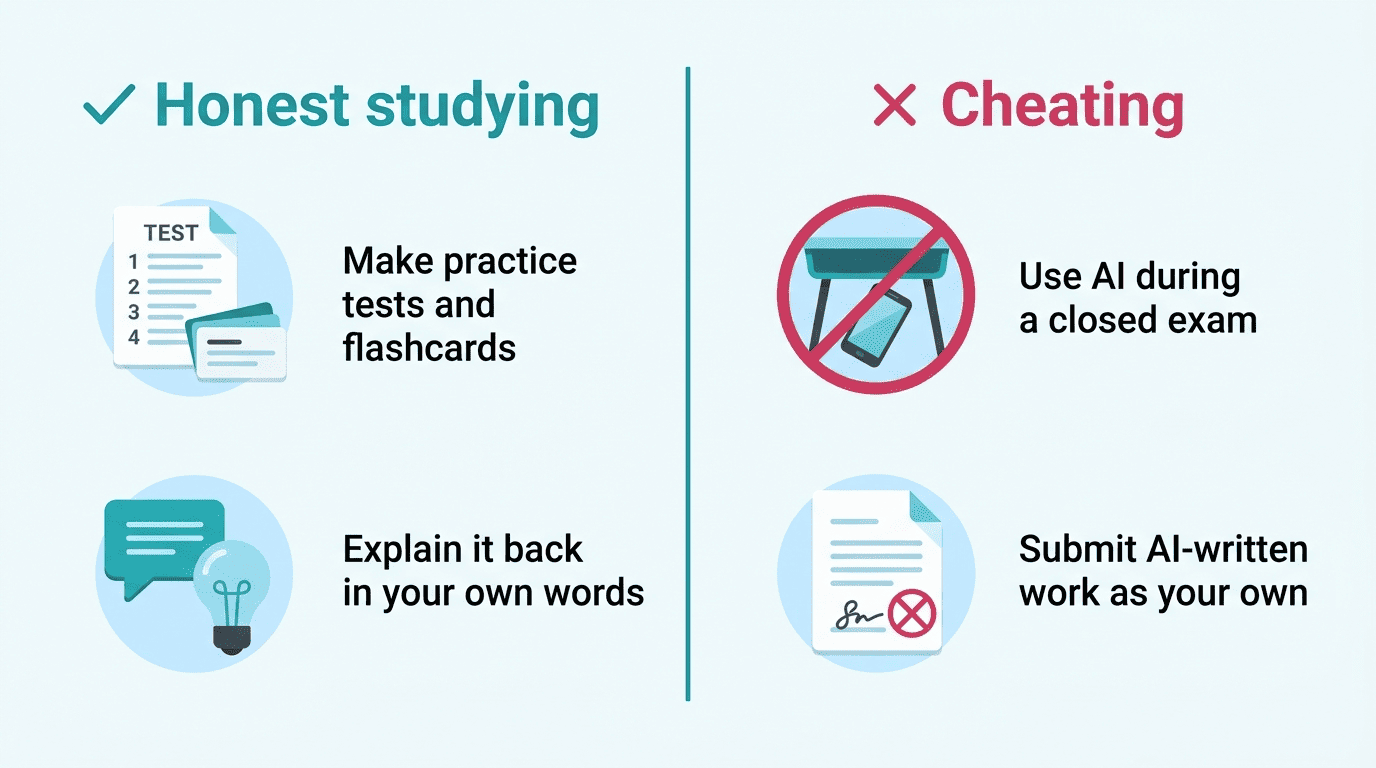
An AI exam prep tool is built to help you learn and understand your material — it is not a substitute for doing the work, and it is not a tool for cheating. Used correctly, it generates practice questions, flashcards, and a study schedule from material you already have; it does not write your assignments for you or hand you answers during a test.
Where the line is
Using AI to make practice questions, flashcards, and study plans before an exam is honest studying — you’re still the one retrieving, explaining, and applying the material. Using AI to answer questions during a closed-book or proctored exam, or to write a graded assignment that you then submit as your own work, is cheating and can violate your school’s academic-integrity policy. When you’re not sure what’s allowed, ask your instructor directly rather than guessing.
Always verify the AI
AI makes mistakes. It can generate a plausible-sounding but wrong answer, or a flawed practice question with no correct option among the choices. Treat every AI answer as a first draft, not a final one, and check anything that matters against your textbook, your slides, or your instructor before the exam — not after. The “teach it back” test from the University of Florida workflow is a useful safeguard here: if you can explain a concept out loud in your own words, without the AI’s help, you actually know it. If you can’t, the AI hasn’t taught you anything yet — it’s only shown you an answer.
Best AI Exam Prep Tools
Not every AI tool is built for exam prep specifically, and the ones that are tend to split into two groups: tools designed around studying from your own material, and general-purpose tools that support the process.
Study-first tools
- Mindgrasp and Studley — turn notes, slides, audio, video, and even YouTube lectures into flashcards, quizzes, and summaries.
- Quizlet — an AI practice-test generator built around your own notes and uploaded documents.
- Knowt — converts notes into flashcards and quizzes with built-in spaced repetition and a quick setup.
Support tools
These aren’t built specifically for exam prep, but they support the same active-recall workflow:
- ChatGPT — acts as an adaptive tutor when you give it structured, quiz-style prompts rather than open-ended ones.
- Trevor AI — schedules study blocks around the rest of your calendar.
- Perplexity — useful for cited research answers when you need to double-check a fact rather than just generate flashcards from it.
| Tool | Best for | Typical input |
|---|---|---|
| Mindgrasp / Studley | Flashcards, quizzes, summaries | PDFs, slides, audio, video, YouTube |
| Quizlet | Practice-test generation | Notes, uploaded documents |
| Knowt | Notes-to-flashcards + spaced repetition | Notes, slides |
| ChatGPT | Adaptive Q&A tutoring | Structured prompts |
| Trevor AI | Study-block scheduling | Calendar + task list |
Building an AI-Powered Study Plan
A study plan only works if you spend more time studying than setting it up, which is where a lot of students go wrong with AI tools.
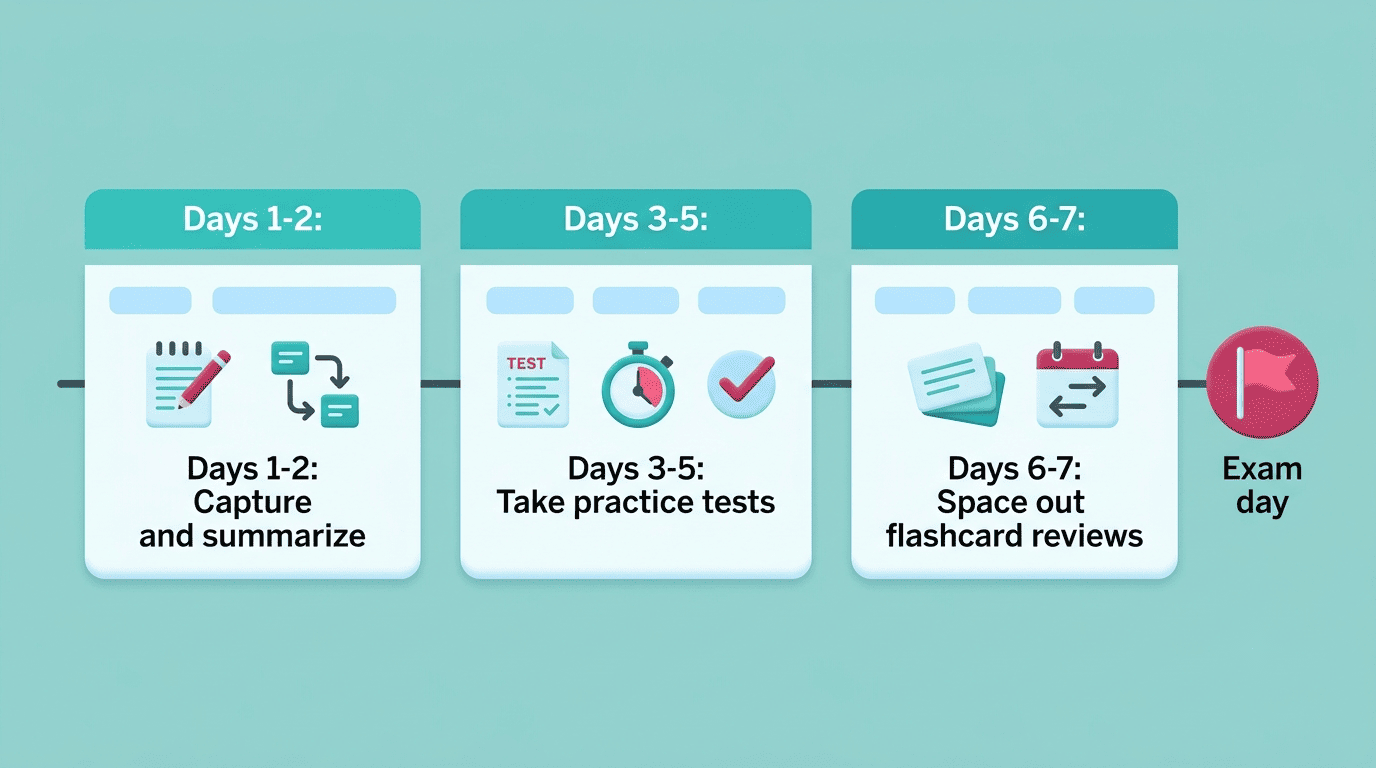
A one-week example
Work backward from the exam date. On days 1-2, capture your material and generate summaries. On days 3-5, generate practice tests and take them under real test conditions — no notes open. On days 6-7, space out flashcard reviews focused specifically on the concepts you got wrong earlier in the week, rather than reviewing everything equally.
Keep setup short. Building an elaborate Notion dashboard or color-coded system feels productive but is often procrastination in disguise — cap tool setup at around 15 minutes and spend the rest of your time actually testing yourself, since testing is the part backed by the strongest evidence. That single habit change, more than any specific tool, is what separates students who use AI to study from students who use AI to avoid studying.