
AI Study Planner: How to Build a Study Schedule That Actually Works
An AI study planner turns your subjects, deadlines, and free hours into a day-by-day study schedule in minutes — use a smart ai study tool to stop guessing and start following a plan. It sequences topics, schedules review with spaced repetition, and adapts as exams approach, in line with how spaced repetition is defined on Wikipedia.

Building a schedule by hand can easily eat 30-45 minutes once you factor in every course and deadline; an AI study planner can generate a first draft in a couple of minutes, which is the main time-saving pitch behind these tools. Whether that translates into higher exam scores depends on whether you actually follow the plan and its spaced-repetition reviews — the schedule itself is not a guarantee of a better grade. But a planner only helps if it fits how memory actually works — that’s what this guide covers.
What Is an AI Study Planner?
At its core, an AI study planner is software that replaces the guesswork of “what should I study tonight” with a schedule built from your actual courses, deadlines, and free time. It’s meant to sit between your syllabus and your calendar, doing the sequencing work you’d otherwise do by hand every week.
Definition and how it differs from a template
An AI study planner is a tool that takes your courses, exam dates, difficulty ratings, and available hours and generates a personalized study schedule — sequenced, timed, and with built-in review checkpoints. Unlike a static template, it uses adaptive scheduling to re-plan automatically when priorities shift, so a missed session doesn’t derail the whole week.
A printed or spreadsheet template asks you to fill in blocks yourself and stays frozen once you do. An AI study schedule generator instead reads your real constraints — how many credit hours a subject carries, how close the exam is, how weak you already are in a topic — and rebuilds the plan whenever one of those inputs changes. That’s the practical difference: a template is static, an AI-powered study system is live.
How it works under the hood
You enter subjects, deadlines, and daily hours; the AI breaks each subject into topics, orders them by urgency and difficulty, assigns them to study sessions, and inserts review points using spaced repetition. The scheduling logic is doing two jobs at once — sequencing new material and protecting time for review of older material — which is exactly what most manual planning skips.
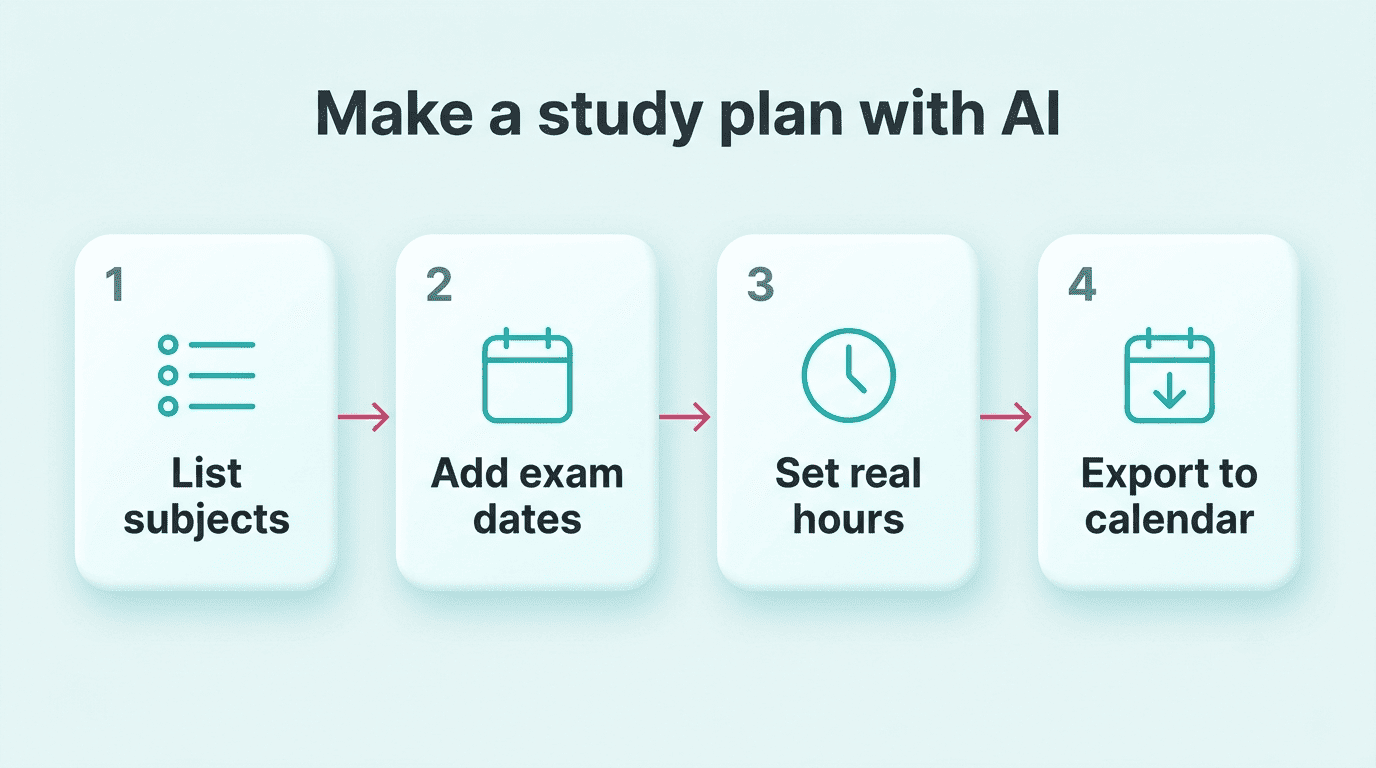
Tools in this space generally aim to produce a full plan in a couple of minutes, versus the 30-45 minutes it can take to build one by hand — the specific numbers vary by tool and aren’t independently audited, but the direction (AI drafts a plan far faster than doing it manually) is the core value proposition of automated scheduling.
How to Make a Study Plan With AI (Step by Step)
Building the plan itself takes only a few minutes if you follow a consistent order: list what you’re studying, anchor it to real dates, be honest about your time, and then actually export and use it.
- List every subject and assignment. Include every course, project, and exam — not just the ones that feel urgent right now.
- Add exam and deadline dates. The planner needs these to back-plan; without a date, it can’t sequence anything.
- Apply the credit-hour rule of thumb. A personalized study schedule should generally allot about 2-3 hours of study per credit hour each week — flag any subject the AI is under-scheduling against that baseline.
- Enter your real available hours, not ideal ones. Overstating free time is the single most common reason study plans fail in week one.
- Let it build in a buffer. Good planners intentionally under-schedule your stated capacity — often somewhere in the 70-85% range — leaving room for the unexpected instead of packing every free hour.
- Export the plan. Push it to Google Calendar, PDF, or ICS so it lives where you already look, instead of in a separate app you forget to open.
- Review and adjust weekly. Treat the first version as a draft you’ll tune, not a contract.
Set honest hours and expect a buffer, not a perfect fit. A schedule you follow at 70% beats a perfect one you abandon — which is exactly why the built-in capacity buffer in step 5 matters more than getting every session perfectly timed.
The Study Science Behind a Good Plan
A schedule is only as good as the memory science underneath it. Three ideas do most of the work: spaced repetition, active recall, and focused-session structure — and a good AI study calendar builds all three in automatically instead of leaving them to willpower.
Spaced repetition
Reviewing material at increasing intervals beats cramming for long-term retention — a well-built AI planner schedules these reviews automatically instead of leaving them to memory.
Newly introduced and more difficult flashcards are shown more frequently, while older and less difficult flashcards are shown less frequently in order to exploit the psychological spacing effect.
Wikipedia — Spaced repetition
That spacing effect is exactly the mechanism an AI study schedule generator automates: instead of you deciding when to revisit a topic, the planner places review sessions at expanding intervals as the exam approaches, without you having to track any of it manually.
Active recall and the Pomodoro technique
Active recall — testing yourself with flashcards or practice questions instead of re-reading notes — drives memory consolidation more effectively than passive review, per the description of active recall on Wikipedia. A planner that schedules flashcard sessions instead of generic “review chapter 4” blocks is applying this directly.
The Pomodoro Technique adds structure on top: short, focused sessions separated by breaks, which helps prevent the burnout that derails long study blocks. Good AI study plan generators bake session length and breaks into the schedule rather than leaving them as an afterthought you have to time yourself.
Why AI beats manual planning: the planning fallacy
Students chronically underestimate how long tasks will take — a well-documented cognitive bias known as the planning fallacy, where people routinely misjudge task duration even when they know similar past tasks ran long. It’s a big part of why hand-built study schedules collapse by week two: the plan assumed a version of you with more free hours and more focus than actually shows up.
An AI-powered study system counters this by using more consistent, rules-based time estimates instead of optimistic guesses — students who switch to AI-generated schedules commonly report the plan feels more realistic, though there’s no independently verified data on how much study time or score improvement this actually produces.
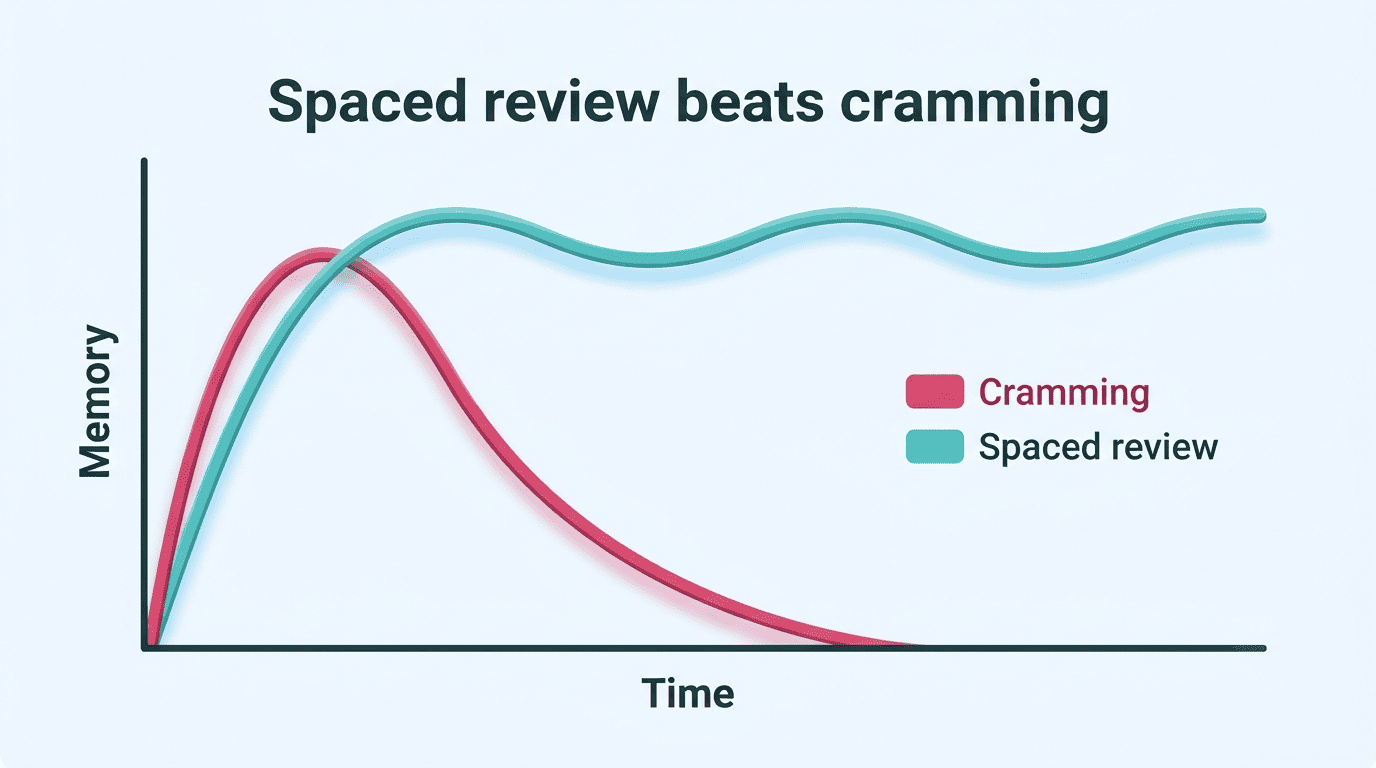
Quick recap of the three mechanisms a good planner automates:
- Spaced repetition — review timed at expanding intervals, not left to memory.
- Active recall — flashcard and self-test sessions instead of passive re-reading.
- Pomodoro-style sessions — focused blocks with built-in breaks to avoid burnout.
| Manual planning | AI study planner |
|---|---|
| Time estimates based on optimism | Time estimates based on data patterns |
| Review scheduled if you remember | Spaced repetition scheduled automatically |
| Fixed once written | Adaptive scheduling re-plans on the fly |
| 30-45 minutes to build | About 2 minutes to generate |
Features to Look For (and Free vs Paid)
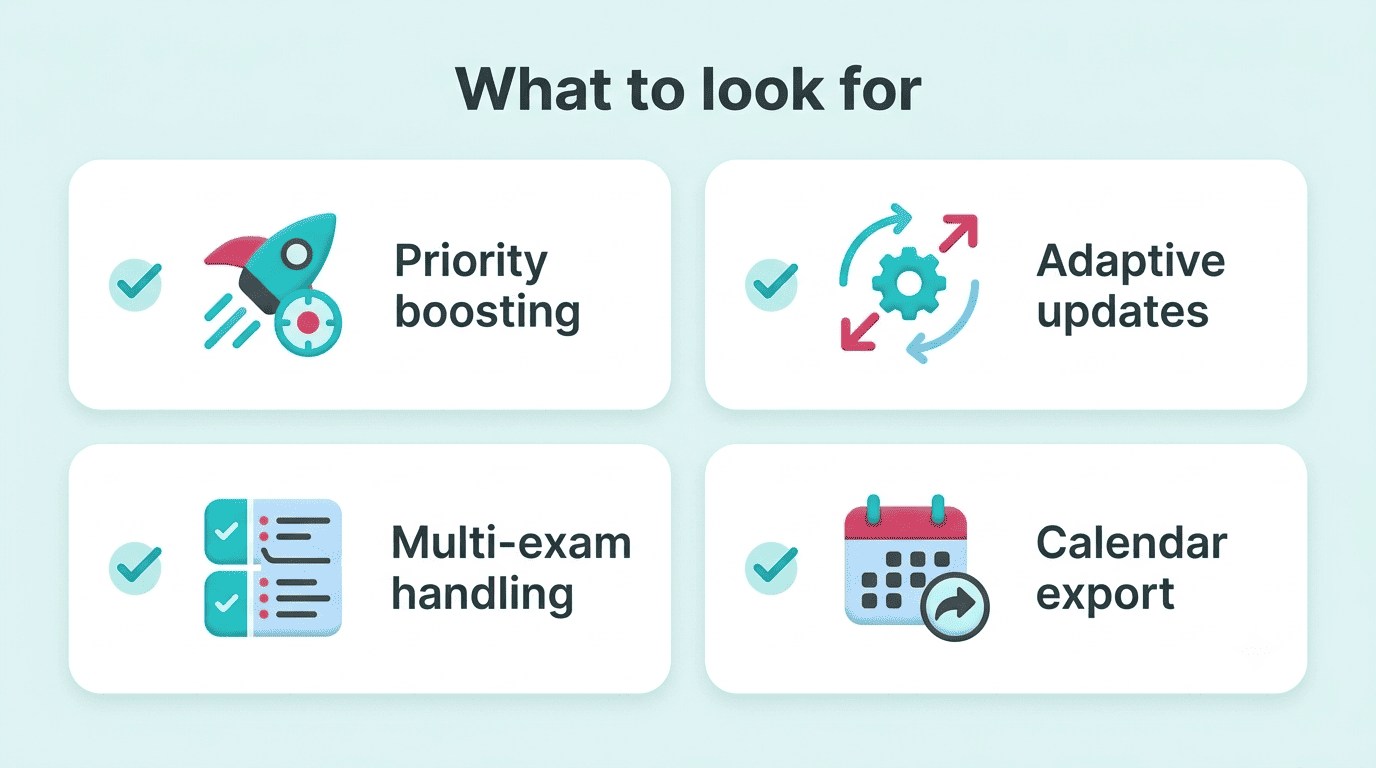
Not every AI study schedule generator is built the same way, and the feature list matters more than the marketing copy. Four features separate a genuinely useful planner from a glorified calendar template:
- Priority boosting for weak areas. The planner should detect which topics you’re struggling with and allocate more session time to them automatically, rather than splitting hours evenly across everything.
- Adaptive updates when you fall behind. Life happens — a missed session should trigger a re-plan, not force you to redo the whole schedule by hand.
- Multi-exam handling. Most students juggle three to six courses at once; the tool needs to sequence across all of them, not just one subject at a time.
- Calendar and PDF export. A plan trapped inside one app is a plan you’ll forget to check — export to your existing calendar so it becomes part of your routine.
Free vs paid
Many AI study planners offer free generation with no signup required, which is enough for most single-semester use cases. Paid tiers, typically in the neighborhood of $10-15 per month, usually add unlimited plan generations and extra export formats.
General-purpose assistants like Notion AI and ChatGPT can also draft a rough study plan if you prompt them with your subjects and deadlines, though they won’t automatically apply spaced-repetition scheduling the way a purpose-built planner does — you’d have to ask for that explicitly, and re-ask every time your schedule changes.
| Tier | Typical features | Best for |
|---|---|---|
| Free, no signup | Single plan generation, basic export | One exam or a short crunch period |
| Free with credits | Limited generations per month | A semester with light re-planning |
| Paid (~$10-15/mo) | Unlimited generations, full export, adaptive updates | Multiple courses running all term |
Common Mistakes an AI Planner Helps You Avoid
Two failure patterns show up again and again in students who plan manually: cramming everything into the final week, and dropping review sessions the moment the schedule gets tight.
Overpacking the last week. Once a deadline gets close, it’s tempting to move everything into the days right before it — which is precisely when a spaced-repetition-based plan resists the temptation, because the review checkpoints were already placed earlier in the term.
Skipping review under pressure. Review sessions are the first thing students cut when they feel behind, even though they’re the sessions most responsible for retention. A planner enforces those checkpoints instead of leaving the decision to willpower.
Signs you’re falling into one of these patterns:
- Most of your study blocks for a subject are scheduled in the final 3-4 days before its exam.
- You’ve skipped two or more review sessions in a row without rescheduling them.
- You’re relying on memory of what to study next instead of checking the plan.
Building a new study habit takes 66 days on average, according to UCL habit-formation research — with a real range of roughly 18 to over 200 days depending on how complex the habit is, not the popular “21 days” myth. That range is a useful reset: an AI study calendar removes the friction of rebuilding the schedule every week, but the consistency still has to come from you — the tool lowers the barrier, it doesn’t do the showing-up for you.
Use It to Learn — Not to Cheat
An AI study planner and a study with ai workflow exist to help you LEARN and UNDERSTAND the material — organizing your time, scheduling review, and quizzing yourself with flashcards. They are NOT for doing your assignments for you and NOT a shortcut around actually learning the content; using AI to complete graded work for you is treated as cheating under most academic-integrity policies, so keep the tool on the “study organizer” side of that line, not the “essay writer” side.
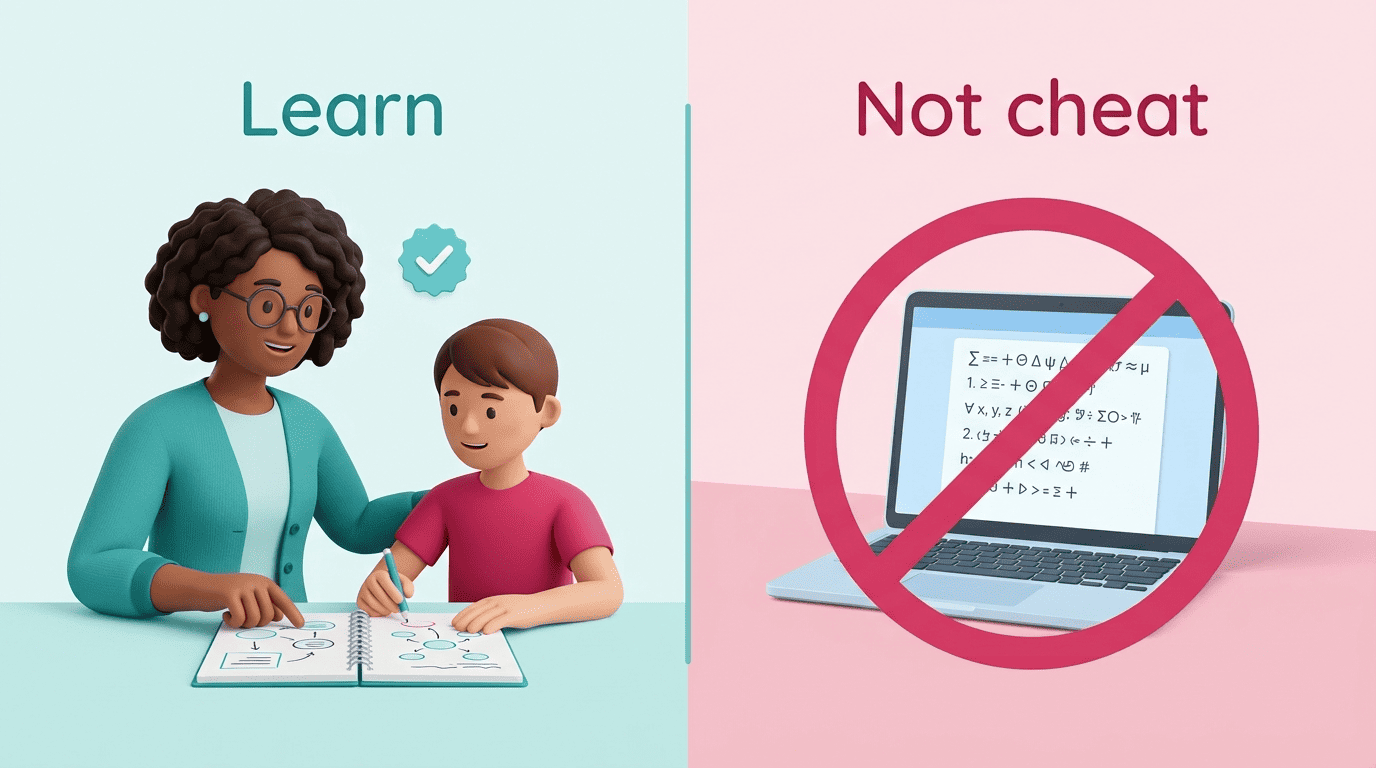
AI can also make mistakes. Always double-check any facts, summaries, or practice answers a planner or chatbot gives you against your actual textbook and your teacher before you rely on them in an exam.