AI Quiz Generator: Turn Any Notes or PDF Into a Practice Quiz in Seconds
An AI quiz generator turns your notes, slides, or a PDF into ready-to-take practice questions in seconds — no manual writing required. Paste text or upload a file, pick your question types and difficulty, and a free ai study tool writes the questions and grades them for you, the same way it structures multiple-choice items according to the classic stem-and-distractor format.
But a quiz is only as useful as how you use it — this guide covers what an AI quiz generator does, how to build one from your own material, and how to turn it into real learning with active recall. One honest caveat up front: these tools help you learn and check your understanding, they do not do your studying for you.

What Is an AI Quiz Generator?
An AI quiz generator reads a source — typed text, notes, slides, or an uploaded PDF — and produces multiple-choice questions with answer keys automatically. Under the hood it uses a large language model to pull out the key facts in your material and rephrase them as questions, distractors, and a correct answer, converting a static PDF or set of notes into an interactive practice test.
Definition and how it works
Most AI quiz makers follow the same basic loop: you feed in a source document, the model extracts the important facts and concepts, and it phrases each one as a question with several answer options. Several popular tools in this space now generate a full set of questions from a PDF or pasted notes in under 30 seconds — a sign of how mainstream the “notes-to-quiz” workflow has become among students. That speed is the whole appeal: writing ten solid multiple-choice questions by hand can take longer than reading the chapter itself.
Anatomy of a good quiz question
A well-formed multiple-choice question has four parts, as described in the standard definition of multiple choice testing: the stem (the question itself), the options (the possible answers), the key (the correct option), and the distractors (plausible but incorrect options designed to catch guesswork). A good AI quiz maker keeps distractors close enough to the right answer that guessing isn’t trivial, but not so close that the question becomes ambiguous. It’s worth remembering that multiple-choice format is best suited to testing recall and recognition of facts — deeper problem-solving or argumentation is better tested with short-answer or essay questions.
Weak questions tend to share the same flaws, whether a person or a model wrote them:
- Options that are all roughly the same length except the correct one, which gives it away
- Absolute words like “always” or “never” in a distractor, which experienced test-takers learn to rule out
- Grammatical clues that only fit one option grammatically
- Two options that are both technically defensible as correct
Question Types AI Can Generate
A quiz generator from notes isn’t limited to one format. Depending on the tool, you can typically choose from five common question types, each suited to a different kind of review.
| Question type | Best for | Typical use |
|---|---|---|
| Multiple-choice | Fast self-testing, exam prep | Reviewing broad factual coverage |
| True/false | Quick recall checks | Warming up before a longer session |
| Short-answer | Stronger recall (no guessing) | Testing whether you actually remember, not recognize |
| Fill-in-the-blank | Vocabulary, formulas, definitions | Memorizing exact terms |
| Essay/open-ended | Depth and synthesis | Practicing exam-style long answers |
MCQs and true/false questions are the fastest way to self-test a large volume of material because they’re graded instantly. Short-answer and fill-in-the-blank questions demand stronger recall since there’s no list of options to recognize from, which makes them harder but more diagnostic. Essay or open-ended formats are the closest simulation of a real exam question and are worth mixing in whenever the material calls for explanation rather than a single fact.
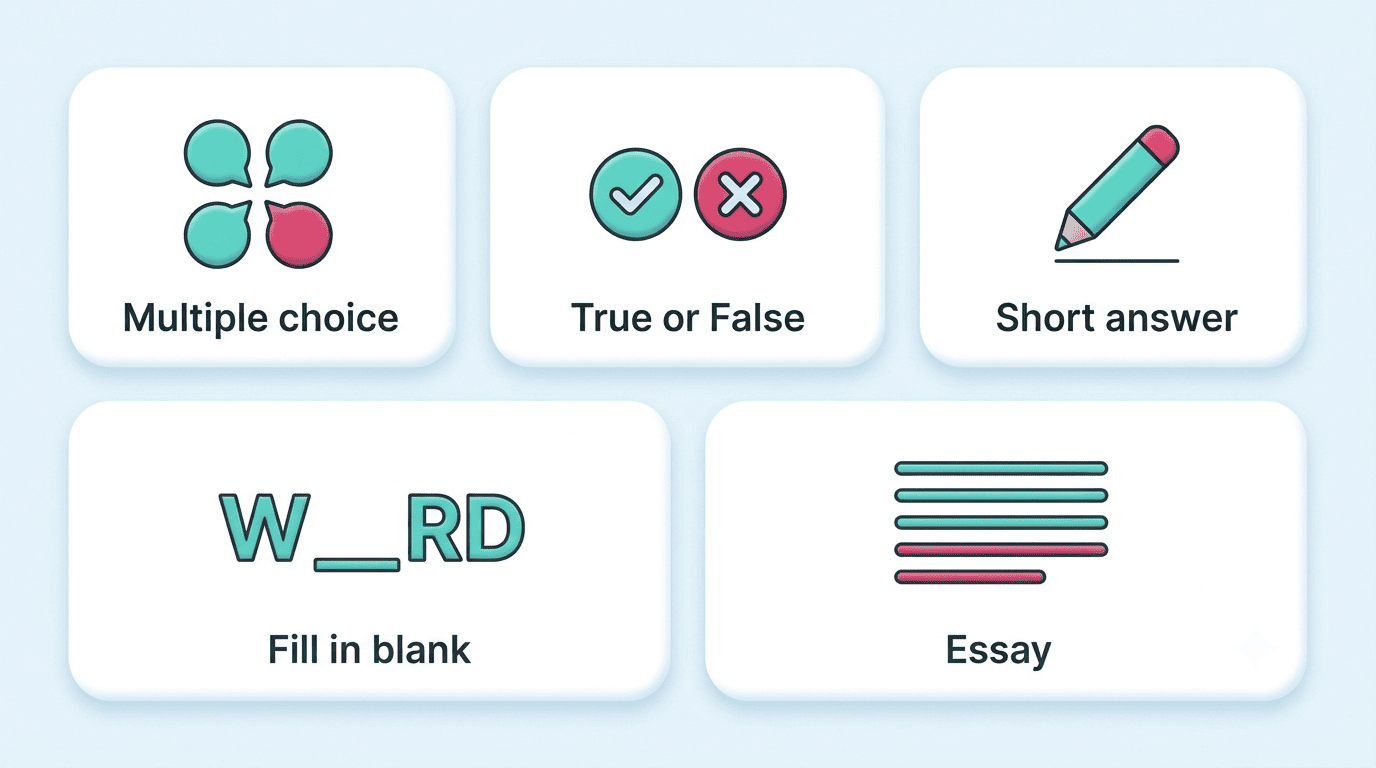
A quick rule of thumb for picking a mix, rather than defaulting to one format:
- Reviewing a whole chapter fast — lean on multiple-choice and true/false
- Memorizing exact terms, dates, or formulas — use fill-in-the-blank
- Checking if you can explain a concept, not just recognize it — use short-answer
- Preparing for an essay exam or a paper — use open-ended questions
How to Make a Quiz From Your Notes or a PDF (Step by Step)
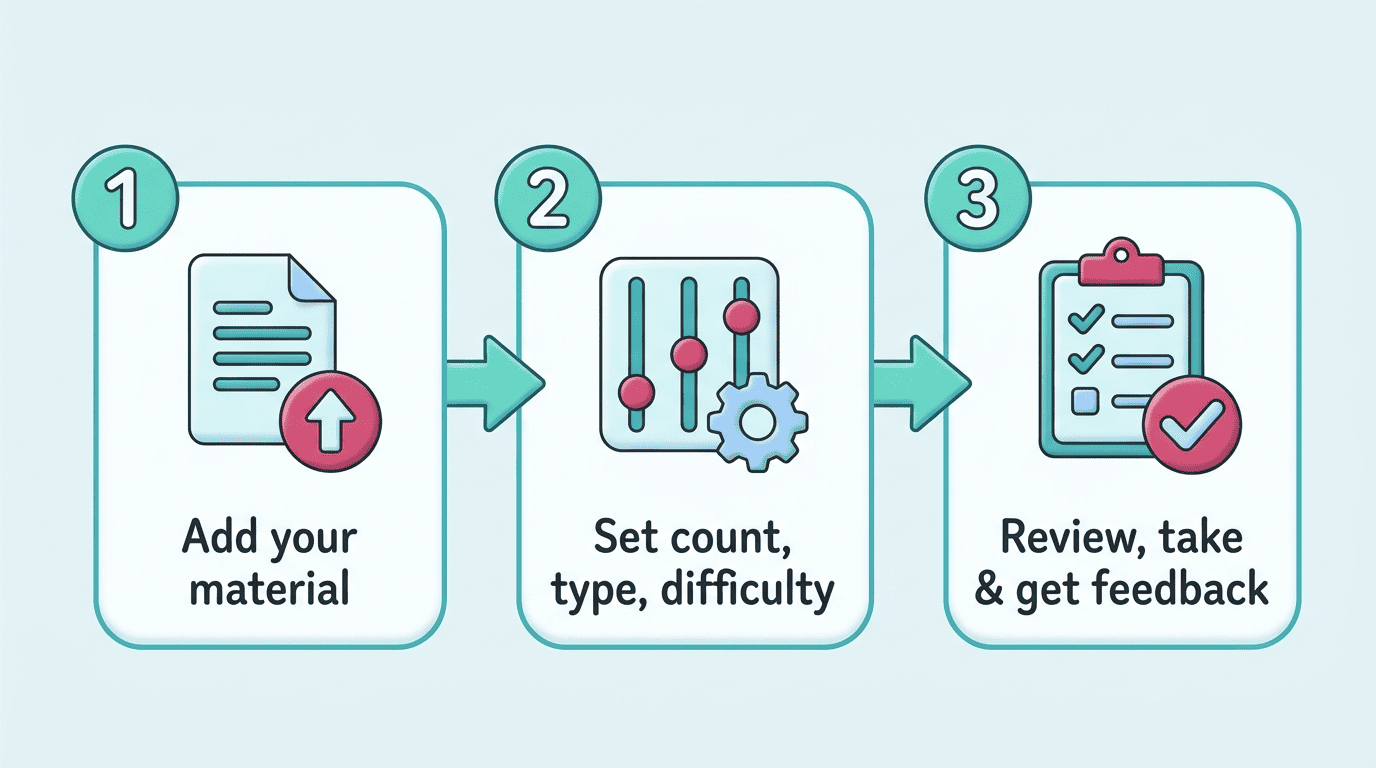
Building a practice test from your own material takes three steps, no matter which AI test generator you use.
- Add your material. Paste text directly or upload a file. OCR lets these tools read scanned or handwritten notes, not just typed documents, so a photo of your notebook works too. Size limits vary by platform, with some allowing uploads up to several dozen megabytes and others capping closer to ten. Common formats accepted include:
– PDF documents- PowerPoint slides- Word documents- Scanned or handwritten pages (via OCR)- Plain pasted text
- Set the question count, type, and difficulty. Choose roughly how many questions you want — ten is a common default — along with the mix of question types and a difficulty level. Some tools support adaptive difficulty, adjusting future questions based on how well you’re doing, and many recognize material in dozens of languages, not just English.
- Review, take, and get feedback. Always skim the generated questions before trusting them — see the accuracy section below for why. Then take the quiz, get instant feedback on each answer, and re-test the questions you got wrong. This is also a good point to open your ai study helper and turn the quiz into a repeatable review session instead of a one-off.
Uploading a full semester of slides at once can produce a bloated, unfocused question set — it’s usually better to quiz one chapter or lecture at a time, then combine your weak spots into a review round later.
How to Actually Learn With AI Quizzes (Not Just Generate Them)
Generating a quiz is the easy part. Getting real learning out of it depends on two ideas from cognitive psychology: active recall and spaced repetition.
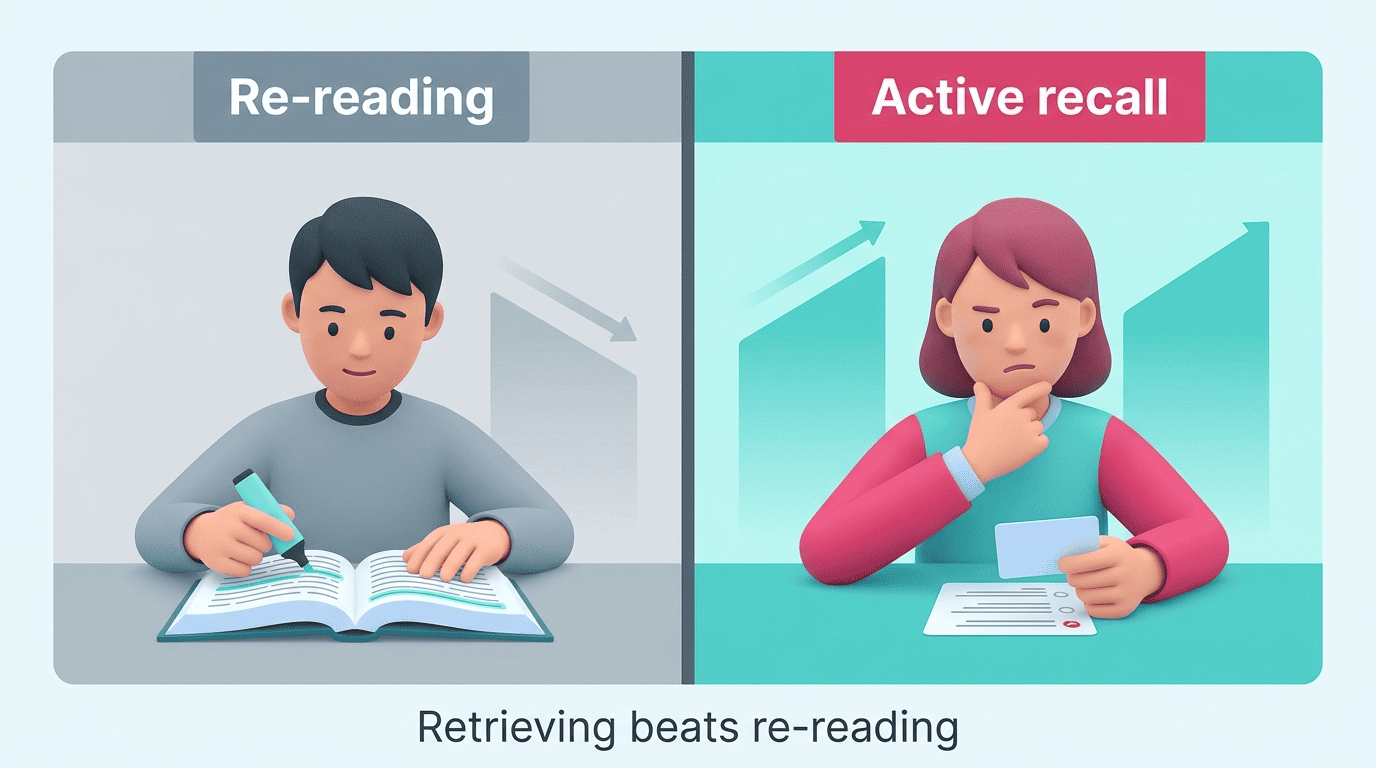
Active recall: why testing beats re-reading
The act of retrieving an answer from memory strengthens that memory more than passively re-reading the same material — this is known as the testing effect. Cognitive scientists who study this phenomenon put it plainly:
A powerful way of improving one’s memory for material is to be tested on that material. Tests enhance later retention more than additional study of the material, even when tests are given without feedback.
Henry L. Roediger & Jeffrey D. Karpicke, “The Power of Testing Memory”
This is exactly why quizzing yourself works better than highlighting a textbook for the third time. An AI quiz generator doesn’t change the underlying science — it just removes the friction of writing the retrieval-practice questions yourself, so you spend your time testing instead of transcribing.
Spaced repetition: when to re-quiz
Don’t cram every question into one long session. Spaced repetition — spreading your review sessions out over increasing intervals — produces more durable memory than a single marathon study block. A simple schedule works well for most students:
- Same day — quiz yourself right after you finish reading or taking notes
- +2 days — re-quiz, focusing on anything you got wrong the first time
- +1 week — a final check to confirm the material has stuck
- Before the exam — one last combined review pulling in every topic
Each round, regenerate the quiz with a focus on the questions you got wrong the previous round, so the sessions get shorter and more targeted as you master the easy material.
Accuracy, Limits, and Academic Honesty
An AI quiz generator is a study aid, not an oracle, and it’s worth being direct about what that means before you rely on one for exam prep.
AI can be wrong — always verify
AI-generated questions can contain factual errors, outdated information, or outright hallucinations, especially on niche or highly specific material. Always double-check the answer key against your textbook, your class notes, or your teacher before trusting a question fully — treat the AI’s answer as a first draft, not a verdict. It’s also worth remembering that multiple-choice format itself is vulnerable to guessing and “test-wiseness,” where a student can select the right answer by eliminating obviously wrong options rather than by actually knowing the material.
| What an AI quiz generator is good for | What it’s not reliable for |
|---|---|
| Turning your own notes/PDF into review questions | Being the sole source of truth on a graded exam |
| Fast, repeatable self-testing (active recall) | Highly specialized, obscure, or fast-changing facts |
| Spotting gaps before an exam or quiz | Replacing your textbook, teacher, or syllabus |
| Practicing question formats you’ll see on a real test | Verifying its own answers without a second source |
Use it to learn, not to cheat
To be explicit: an AI quiz generator is designed to help you learn and understand your material and to check where your gaps are. It does not do your coursework for you, and it is not a tool for cheating on graded assignments, tests, or homework. Using it to complete graded work dishonestly can violate your school’s academic-integrity policy, and the point of self-testing disappears entirely if the goal shifts from understanding to shortcuts. Use it the way you’d use flashcards or a study group — to practice retrieving what you already learned, not to skip learning it.
Legitimate, honest ways to use one include:
- Checking your understanding right after reading a chapter or attending a lecture
- Building a self-test to prepare for an upcoming quiz or exam
- Turning messy lecture notes into a structured review session
- Finding which topics to bring to office hours or a study group
- Creating short, repeatable quizzes for spaced review over several days
Bonus myth-buster: trust your revised answer
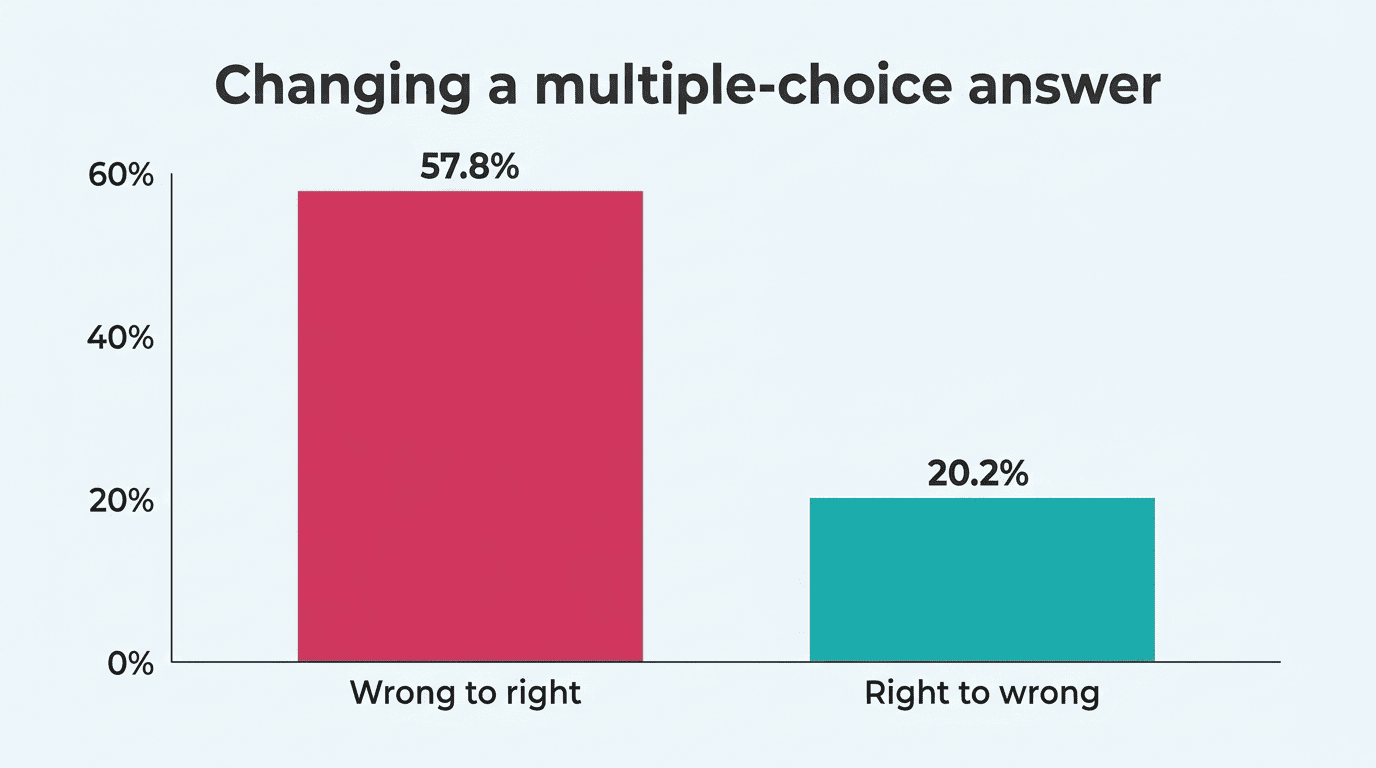
Here’s a small but useful factoid tied to accuracy: research on answer-changing behavior on multiple-choice tests, summarized on Wikipedia, found that across a review of studies, changing an answer went from wrong to right about 57.8% of the time, versus only 20.2% of changes going from right to wrong. In other words, the old advice to “always trust your first instinct” is largely a myth — a considered second look at a question, especially on an AI-generated quiz where you’re specifically checking your own gaps, is usually the smarter move.