
AI Flashcard Maker: Turn Any PDF or Lecture Into Study Cards (and Actually Remember Them)
An AI flashcard maker turns your PDFs, lecture slides, videos, and notes into a ready deck of flashcards in seconds — no more copying question-and-answer pairs by hand. It’s the fastest way to get started with an ai study tool, and according to Wikipedia, a flashcard is simply a card bearing information on both sides, meant to be used as a memorization aid — an AI flashcard generator automates the tedious part of building that deck.

But generating cards is only half the job. This page explains what an AI flashcard maker actually turns into cards, how to make those cards genuinely useful, and how to study them so the material sticks past tomorrow’s quiz instead of fading by morning.
What Is an AI Flashcard Maker?
An AI flashcard maker is software that reads a document, video, or set of notes you upload and automatically extracts the key terms and definitions, turning them into two-sided cards — a prompt on one side, the answer on the other. It replaces the manual step of copying facts onto index cards, but the underlying study method is centuries old and well studied.
From your material to a deck
The AI flashcard generator scans your source material, identifies the concepts worth testing, and formats each one as a question-and-answer pair, following the same basic structure Wikipedia describes for a flashcard: information on one side, the recall target on the other. An AI flashcard creator can do this for a single chapter or an entire semester’s worth of lecture slides in the time it would take you to write out five cards by hand.
Why flashcards work: active recall
Flashcards specifically exercise the mental process of active recall: given a question, one must produce the correct answer.
Wikipedia
That distinction matters. Rereading a highlighted textbook page feels productive, but it mostly tests recognition — you nod along because the words look familiar. A flashcard forces retrieval: you have to produce the answer from memory before you flip the card, and that effortful act of pulling information out of your own head is what strengthens the memory trace. For a broader look at how AI-assisted study tools fit together — flashcards, practice tests, and spaced review in one workflow — see our ai study tool overview.
What Can an AI Flashcard Maker Turn Into Cards?
Most AI flashcard tools accept far more than plain text. The wider the range of input formats, the less retyping you have to do before you can start reviewing.
Supported input formats
An AI flashcard generator will typically accept PDFs, PowerPoint decks, Word documents, Excel sheets, EPUB e-books, YouTube video links, images, audio recordings, handwritten notes, or just pasted text or a topic name. File-size limits vary by tool — some AI flashcard generators cap uploads around 100 MB per file — so check that before uploading a full semester’s slide deck at once. Some tools also turn lecture slides and scanned handwritten notes into cards, alongside study guides and practice tests built from the same material.
- PDFs and lecture slides (PowerPoint, Word, Excel, EPUB)
- YouTube videos and audio recordings
- Photos of textbook pages or handwritten notes
- Pasted text, a topic name, or a short prompt
| Input type | What the AI extracts | Typical limit |
|---|---|---|
| PDF, slides, documents | Headings, definitions, key terms | ~100 MB per file (varies by tool) |
| YouTube video, audio | Spoken terms and definitions | Video length or file duration |
| Photos, handwritten notes | Text read from the image | Image resolution/clarity |
| Pasted text or topic | Whatever you paste or name | Character/word count |
From raw notes to clean Q&A pairs
Once the material is uploaded, the AI flashcard maker pulls out the terms and definitions worth testing and rewrites them as clean question-and-answer pairs, saving you the time it would take to type each one manually. Many tools let you tag cards by topic, attach an image, or adjust formatting afterward, so the deck stays organized as it grows across a course.
How to Make Effective Flashcards (Not Just Many)
Generating a hundred cards in ten seconds feels impressive, but a big deck of weak cards teaches you less than a small deck of good ones. The best ai study tool for you is the one whose generated cards need the least cleanup before you trust them.
Principles of a good card
One fact per card. Cramming two or three ideas onto a single card muddles the retrieval cue and makes the card harder to grade honestly when you review it.
Ask for recall, not recognition. A question with an obvious answer baked into the wording — “What is the capital of France, Paris or Berlin?” — tests almost nothing. Phrase the prompt so you actually have to produce the answer.
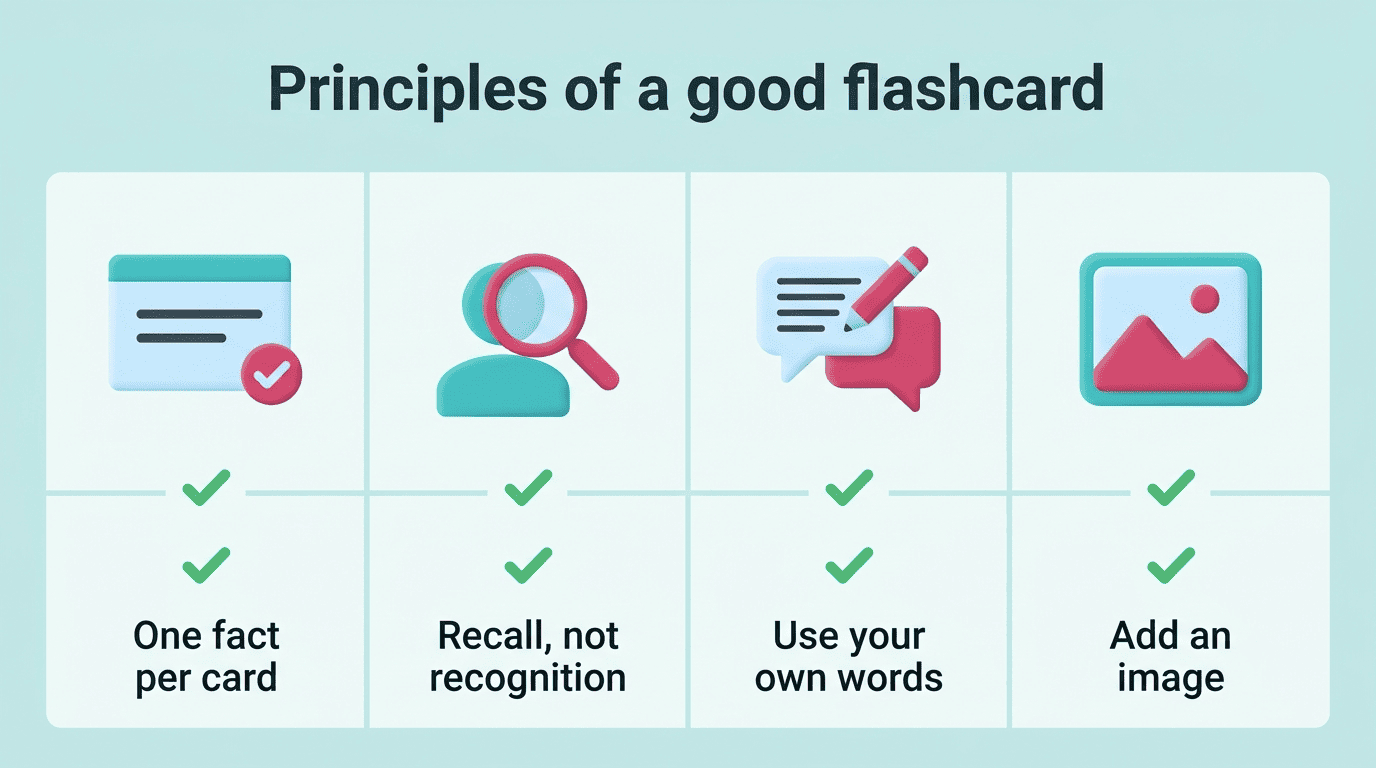
Rewrite it in your own words. Cards generated verbatim from a textbook are easy to skim past without engaging; paraphrasing forces a second pass of processing.
Add an image or example when it helps. A diagram, formula, or short example on the answer side often anchors a concept better than text alone.
Review generated cards before you trust them
An AI-generated deck is a first draft, not a finished study set. Skim through it, delete duplicates and anything too easy to be useful, and fix cards that are vague or flat-out wrong. AI can make mistakes — always double-check generated cards against your textbook, lecture notes, or teacher before you rely on them for an exam.
Before your first review session, run through the deck once and:
- Delete exact duplicates and near-duplicate cards
- Merge or split any card that tests more than one fact
- Rewrite answers that are vague, too broad, or factually off
- Flag anything you can’t verify against your own notes yet
How to Study Them: Spaced Repetition, Leitner, and Anki
Having good cards is only step one. How and when you review them determines whether the material moves into long-term memory.
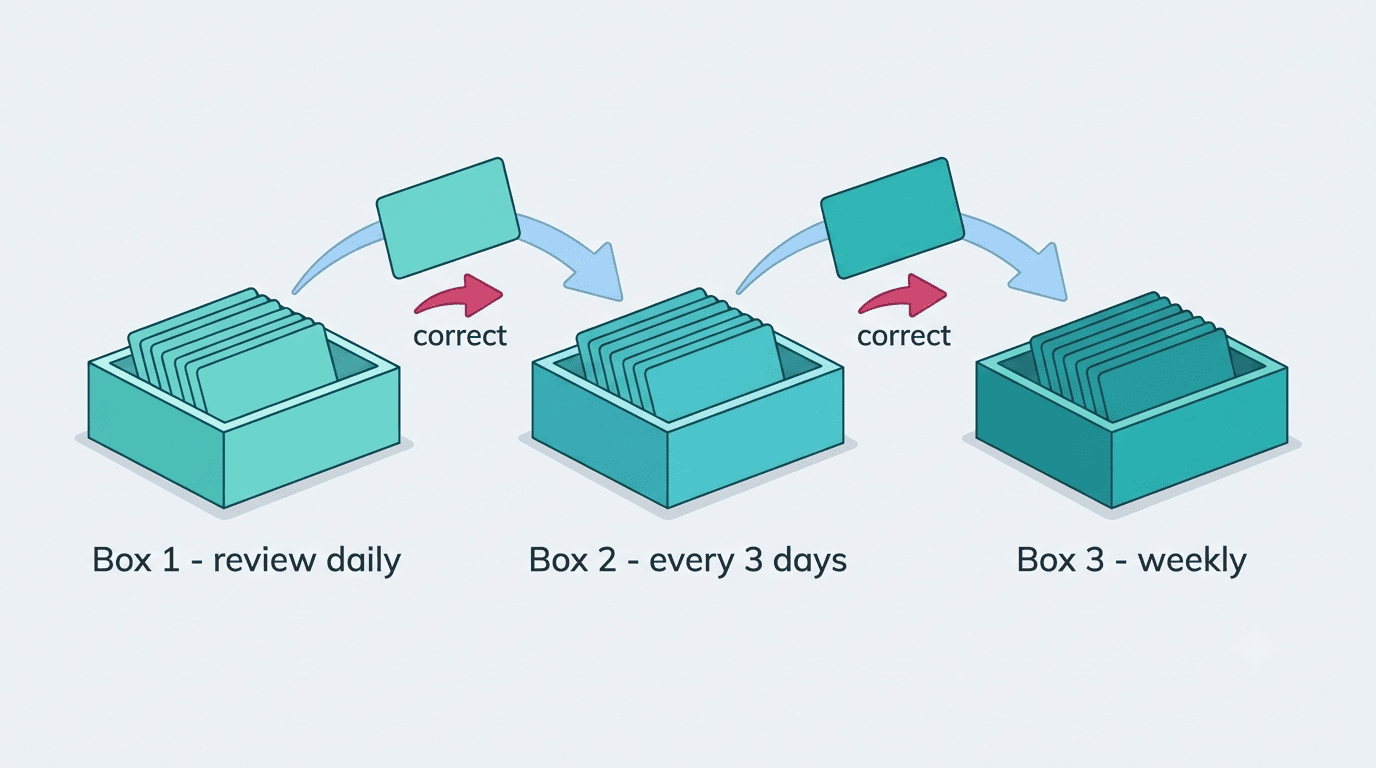
Spaced repetition and the Leitner system
Cards should be reviewed at increasing intervals: the ones you get wrong come back soon, the ones you know well get pushed further out. The classic manual version of this is the Leitner system, where cards physically move between boxes based on whether you answered correctly. Modern apps automate the same idea with scheduling algorithms — SM-2 and the newer FSRS are the two most common — calculating exactly when each card should reappear based on your past performance. This whole approach is a form of spaced repetition, and it consistently outperforms reviewing a deck front-to-back in one sitting.
| Method | How intervals are set | Typical use |
|---|---|---|
| Leitner system | Manual box promotion/demotion | Physical or simple digital decks |
| SM-2 algorithm | Fixed formula based on grade | Anki (default scheduler) |
| FSRS | Machine-learning model of your memory | Newer AI flashcard tools, built into Anki (opt-in) |
Export to Anki if you already use it
If you already keep your decks in Anki, look for an AI flashcard maker that exports to the .apkg format with one click, so the generated cards drop straight into your existing collection on desktop, Android, or iOS. Anki itself runs on a spaced-repetition scheduler, so cards you import keep getting reviewed on the same interval logic described above rather than starting over in a separate app.
Is Using an AI Flashcard Maker Cheating? Academic Honesty
This is worth stating plainly, because the line matters.
Learn with it, don’t outsource to it
An AI flashcard maker is meant to help you learn and remember material, not to do your coursework for you, and it is not a tool for cheating on graded work. Generating cards from your own notes and lecture material, then drilling them with spaced repetition, is an honest, common study method. Bringing a phone loaded with flashcards into a closed-book exam where notes aren’t allowed is not — that is a violation of academic-integrity policy regardless of how the cards were made. Always check your course’s specific rules before using any study tool during an assessment. And remember: AI can make mistakes, so verify generated cards against your textbook, syllabus, or instructor rather than trusting them blindly.
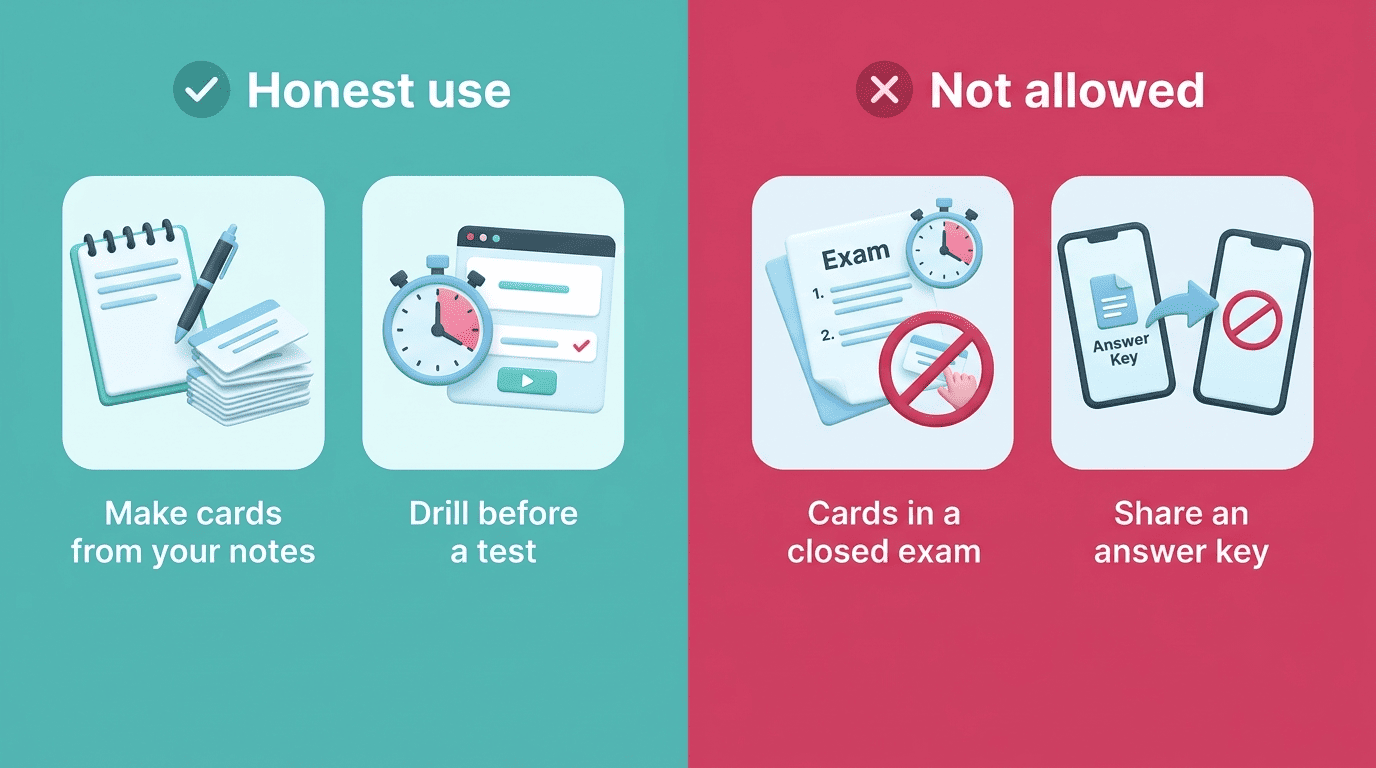
A quick way to tell the difference:
- Honest: generating cards from your own lecture notes to drill before a test
- Honest: reviewing a deck built from an assigned reading to prepare for class
- Not allowed: bringing generated cards into a closed-book exam where notes are banned
- Not allowed: sharing a generated answer key as a substitute for your own graded work
How to Choose a Free AI Flashcard Maker
If you are comparing options, a handful of criteria separate the tools worth your time from the ones that just make noise.
What to look for
- Check how accurate the generated cards are on a real chapter, not just a demo.
- Confirm it supports the input formats you actually use — PDF, slides, video, or handwritten notes.
- Look for built-in spaced repetition scheduling, not just a static list of cards.
- Verify it can export to Anki (
.apkg) if you might switch tools later. - Check whether there’s a genuinely usable free tier, not just a one-deck trial.
- Confirm it supports the language you study in, since coverage varies widely between tools.
Free options
Most AI flashcard makers offer some kind of free tier — often capped by a monthly deck limit or a maximum file size — so it’s worth testing a few before committing to a paid plan. Our free ai study tool generates cards from your own material and schedules them with spaced repetition, so you can try the whole workflow, from upload to review, at no cost.