Spaced Repetition App: How It Works and How to Pick One
A spaced repetition app schedules flashcard reviews at the exact moment you’re about to forget something — pair one with a smart ai study tool and you turn cramming into durable memory. Its direct job: run an algorithm, usually FSRS, built on the forgetting curve, so reviews get spaced further apart as a card gets easier.

The category is crowded — Anki, Quizlet, Mochi, RemNote, Noji and more — but they all rest on the same underlying science. This guide explains how these apps work, the algorithms behind them, and how to choose one you’ll actually stick with.
What Is a Spaced Repetition App?
Definition
A spaced repetition app (or SRS — spaced repetition system) is a flashcard tool that decides WHEN to show you each card, not just what’s on it. According to Wikipedia, spaced repetition is “an evidence-based learning technique that is usually performed with flashcards,” and its use “has been proven to increase the rate of learning.” That effect comes from active recall — testing yourself instead of re-reading — combined with spacing reviews out over time so information moves into long-term memory.
The idea that testing beats re-reading is not new. English philosopher Francis Bacon noted it as early as 1620, and his observation still describes exactly what an active-recall flashcard session does:
If you read a piece of text through twenty times, you will not learn it by heart so easily as if you read it ten times while attempting to recite it from time to time, and consulting the text when your memory fails.
Francis Bacon, 1620
Every modern flashcard app, digital or otherwise, is built on that same principle, with active recall at the center and an algorithm doing the timing for you.
Why it beats a plain flashcard app
A plain digital flashcard system, or a stack of paper cards, treats every card the same. A spaced repetition app doesn’t. The differences that matter:
- A plain deck shows every card at the same frequency, no matter how well you know it.
- An SRS shows hard or new cards more often, and easy or well-known cards less often.
- A plain deck has no memory of your past answers; an SRS uses your review history to time the next one.
- An SRS times each review right before you’re statistically likely to forget, not on a fixed schedule.
That’s the whole advantage: the same amount of study time gets redirected toward the cards that actually need it.
How Spaced Repetition Apps Work: The Forgetting Curve
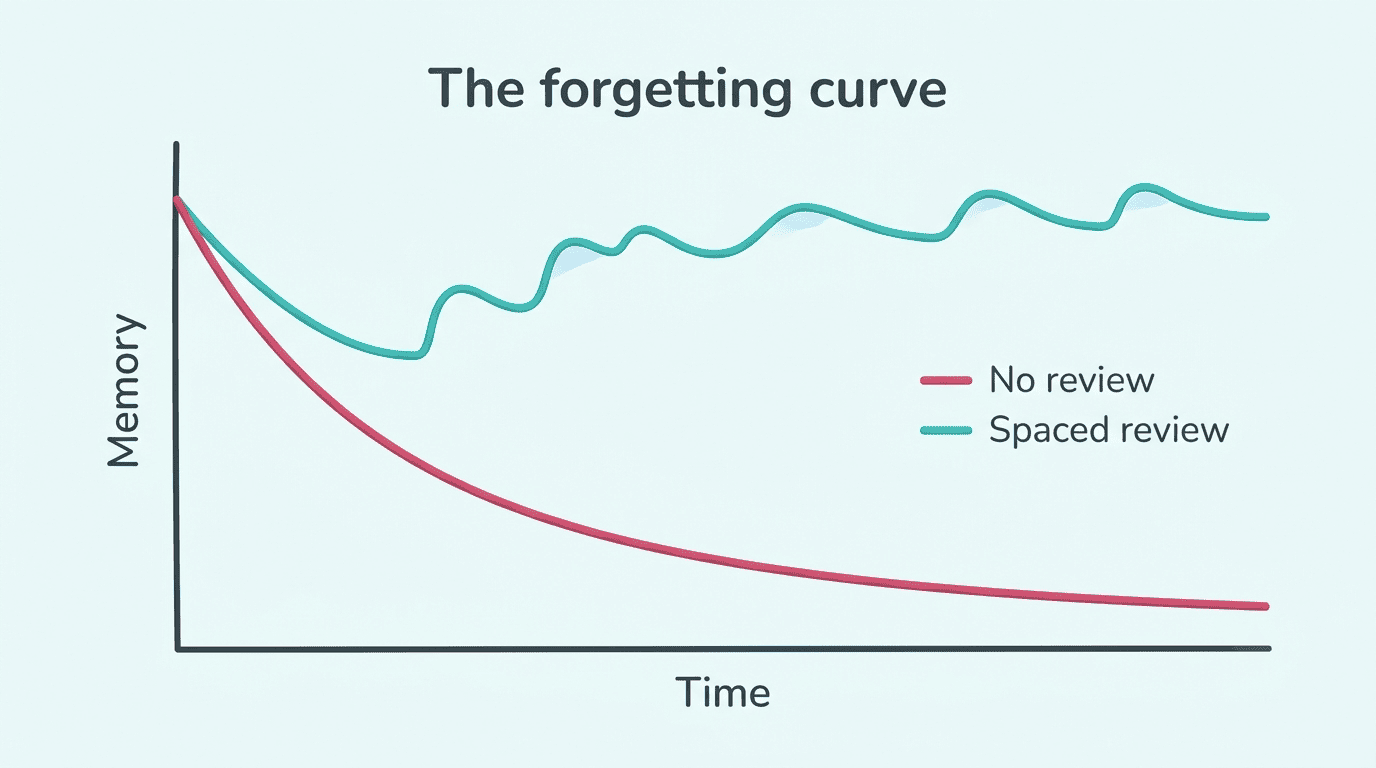
Memory decays in a fairly predictable pattern after you first learn something, and every well-timed review flattens that decay so you forget more slowly. This is where the algorithm behind a spaced repetition app earns its keep.
The forgetting curve
German psychologist Hermann Ebbinghaus spent the 1880s testing his own memory of thousands of nonsense syllables and plotted the results on a graph — the origin of what’s now called the forgetting curve. His experiments showed that people “tend to halve their memory of newly learned knowledge in a matter of days or weeks unless they consciously review the learned material,” and that the steepest drop happens in the first twenty minutes after learning. Ebbinghaus also identified several factors that change how fast forgetting happens:
- How meaningful the material is to the learner.
- How the information is represented (a clear, atomic card vs. a dense paragraph).
- Physiological factors, including stress.
- Sleep, both before and after the review.
That’s one reason short, atomic flashcards beat dense paragraph-style notes inside any spaced repetition app.
Reviews right before you forget
A spaced repetition app applies Ebbinghaus’s finding directly: each review is timed to land right before you’re likely to forget, and the gap expands every time you answer correctly. Rate a card “easy” a few times in a row and it stops coming back for weeks instead of days. Miss it, and the interval resets closer to the start — the app is constantly re-estimating your personal forgetting curve for that specific card.
The Algorithms: FSRS vs SM-2
SM-2 (the classic)
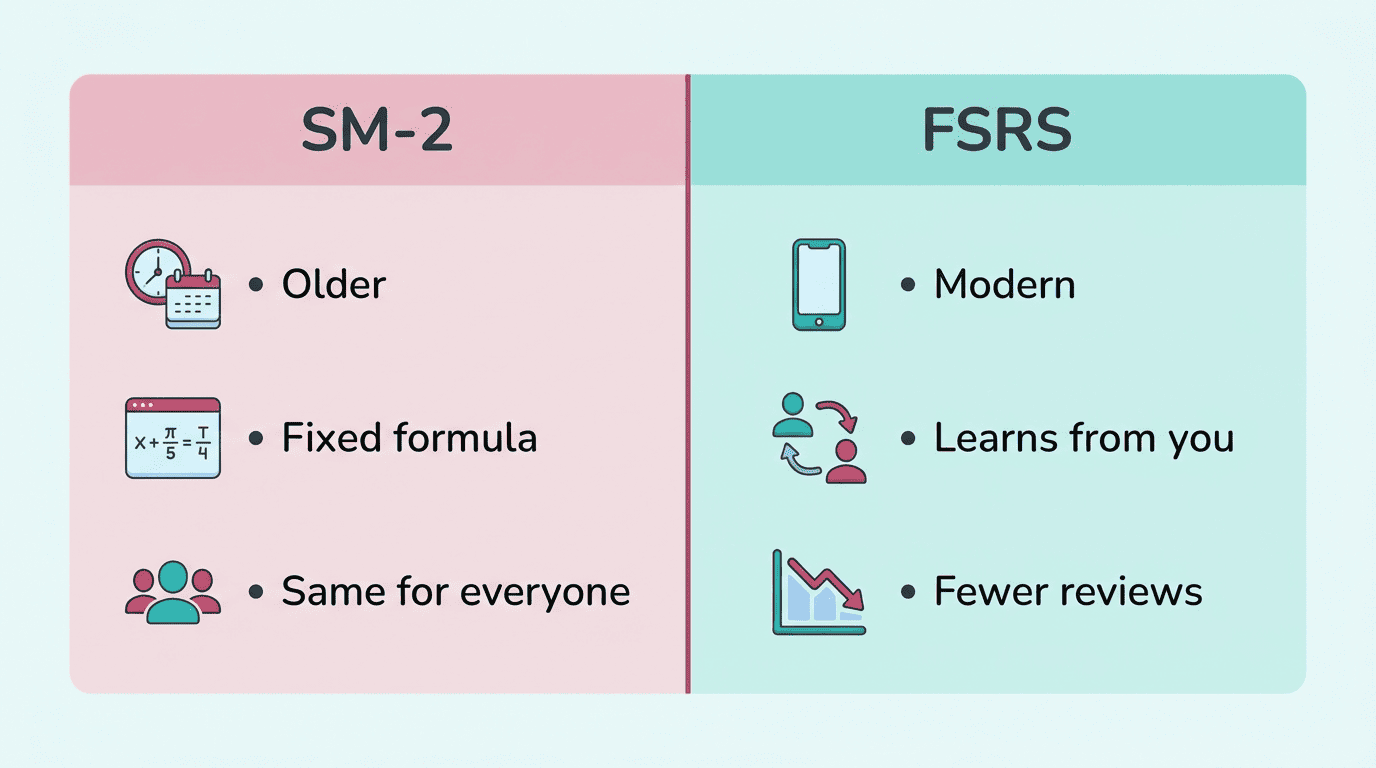
The SM-2 algorithm comes from SuperMemo, the spaced-repetition software Piotr Woźniak began building in Poland in 1985. Released in 1987, SM-2 tracks three numbers per card — a repetition count, an “easiness factor” that starts at 2.5, and the interval in days until the next review — and adjusts them based on how you grade your own recall. It’s decades old, simple, and still the default scheduler in many popular flashcard apps, but it isn’t optimized to any individual learner’s memory.
FSRS (the modern default)
FSRS (Free Spaced Repetition Scheduler) is a newer, open-source algorithm that models an individual’s memory more accurately than SM-2 and schedules fewer, better-timed reviews as a result. It’s become widely available: Anki added native FSRS support starting with its 23.10 release, and other apps have followed. Reviewers generally recommend picking a spaced repetition app that supports FSRS if long-term retention, not just a habit streak, is the goal.
| Algorithm | Origin | Personalization | Where it’s used |
|---|---|---|---|
| SM-2 | SuperMemo, 1987 | Fixed formula per card | Many classic flashcard apps |
| FSRS | Open-source, modern | Learns from your review history | Anki (23.10+), several newer apps |
Before you commit to an app because of its algorithm claims, it’s worth checking a few things directly in the settings:
- Whether FSRS (or an equivalent adaptive scheduler) can actually be turned on, not just mentioned in marketing copy.
- Whether the app shows a “retention” or “desired retention” setting you can adjust.
- Whether it gives you a forecast of upcoming review load, so you can see the schedule before it hits.
- Whether card grading uses more than a simple right/wrong toggle (finer grading feeds the algorithm better data).
Best Spaced Repetition Apps Compared
Every major app in this space is built around the same forgetting-curve logic, but they differ a lot in price, interface, and how much control you get over the algorithm. Here’s how the well-known names actually compare once you look past the marketing:
Anki is the free, open, power-user standard, with a shared-deck library reviewers commonly describe as running into the tens of thousands, plus full FSRS support once you turn it on in settings. It’s the app most reviewers benchmark everything else against.
Mochi is a markdown-based, local-first digital flashcard system that’s free at its core, with a Pro tier around $5/month for sync and publishing.
RemNote blends note-taking with flashcards, so cards can be generated straight from your notes; it’s free to start, with paid plans from around $8/month.
Noji leans on algorithm presets across a shared-deck library Noji itself advertises as 50,000+, aiming for a gentler learning curve than Anki’s raw settings menu.
Quizlet and Brainscape are the friendliest options for casual studiers rather than power users. Quizlet’s rolling monthly plan runs $7.99/month (cheaper if paid annually), while Brainscape’s Pro is $19.99/month month-to-month and drops to roughly $7.99/month only on its yearly plan.
Most of these apps can import existing Anki decks, so switching rarely means rebuilding an entire card library from scratch.
| App | Free tier | Paid tier | Best for |
|---|---|---|---|
| Anki | Yes (desktop, full features) | Optional mobile sync add-on | Power users, huge shared-deck library |
| Mochi | Yes (offline) | ~$5/mo (sync, publishing) | Markdown notes, local-first study |
| RemNote | Yes (basic) | ~$8/mo (notes + cards) | Note-takers who also want flashcards |
| Noji | Yes | Varies | Algorithm presets, guided setup |
| Quizlet / Brainscape | Yes (limited) | From ~$7.99/mo | Casual studiers, simpler UI |
Free vs paid
What you actually get without paying, and what upgrading typically buys you:
- Anki’s desktop app and Mochi’s offline tier are genuinely free, with no real limits on cards or decks.
- Free tiers across the category generally cover core reviewing, card creation, and a basic version of the algorithm.
- Paid tiers usually add cross-device sync, so your review queue matches on phone and laptop.
- Some paid tiers add AI-assisted card generation or one-click deck publishing and sharing.
None of that paid functionality is required to get the core spaced-repetition benefit — it mainly buys convenience.
How to Choose the Right One
Picking a spaced repetition app doesn’t need to be complicated if you focus on what actually predicts whether you’ll stick with it.
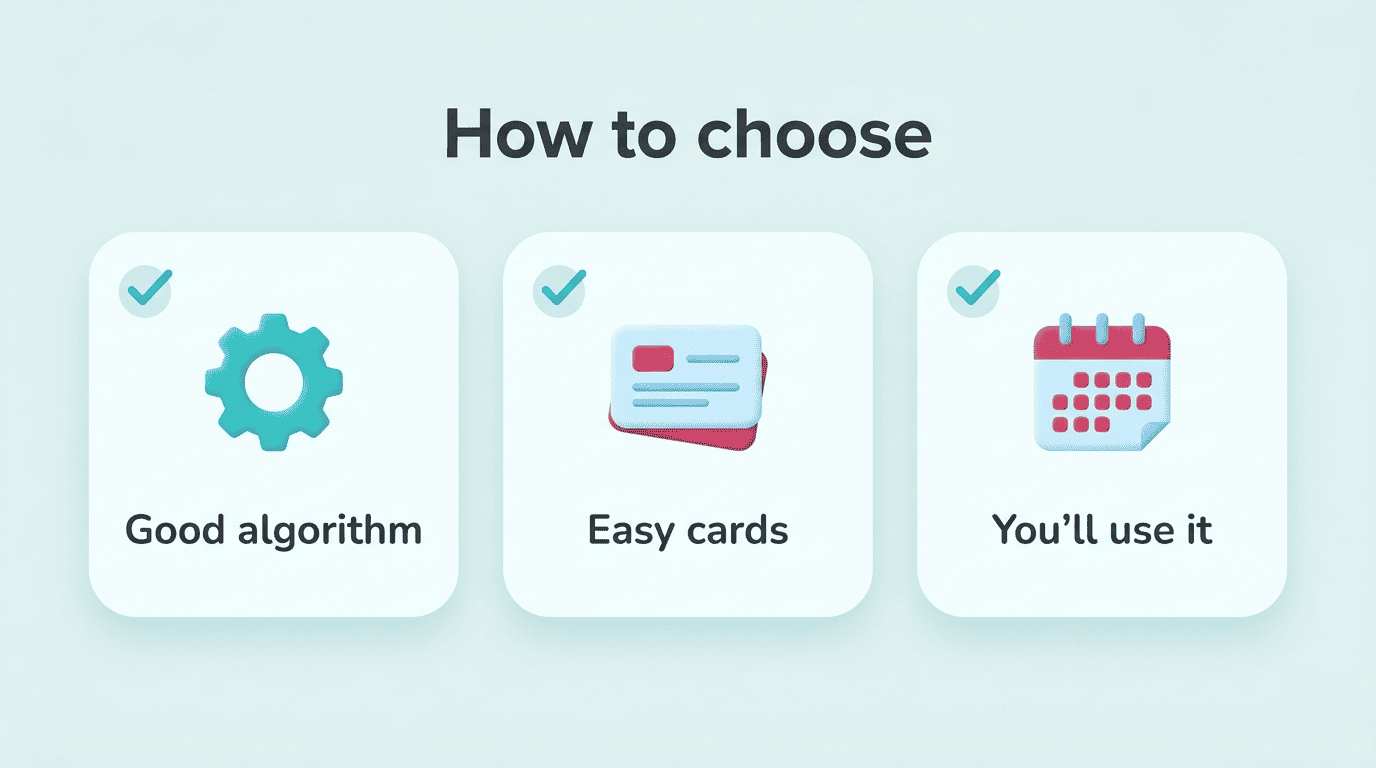
- Check the algorithm. Prefer an app that supports FSRS, or at least a well-tuned SM-2 variant, over one with a black-box or purely gamified schedule.
- Test how fast you can make a card. If writing one atomic question-and-answer card takes more than a few seconds of friction, you’ll stop making cards within a week.
- Look for import support. Being able to pull in an existing Anki deck or a spreadsheet saves hours of manual entry.
- Try the mobile app. Most missed reviews happen because the app wasn’t open on your phone at a spare five minutes.
- Check the free tier’s real limits. Some apps cap card counts or sync frequency on the free plan — know that before you build a large deck.
- Review for a full week before committing. A quiet UI you’ll actually open every day beats a feature-rich one you dread.
- Confirm export options. You want to be able to leave with your cards if the app shuts down or changes pricing.
Per experienced reviewers, three things ultimately decide whether an SRS helps you: the algorithm (prefer FSRS), how easy it is to make good, atomic cards, and whether you’ll actually open the app every day. The best spaced repetition app is the one you’ll use consistently — not necessarily the one with the most features.
Getting Real Results — Use It to Learn, Not to Cheat
A spaced repetition app — and a study with ai workflow that drafts cards for you — is there to help you LEARN and UNDERSTAND, by making you recall material yourself over time. It is NOT a way to do your assignments for you and NOT a shortcut around real learning; using AI to complete graded work is treated as cheating under most academic-integrity policies, and instructors increasingly check for it. AI-generated cards can contain mistakes, so always double-check any auto-made card against your textbook and your teacher before you commit it to memory.