AI Note Taker: How Students Turn Lectures Into Notes That Actually Help You Learn
An AI note taker records or reads your lectures and instantly turns them into clean, searchable notes, summaries, flashcards, and quizzes. Paired with an ai study tool, it can cut the time you spend transcribing and free you up to actually think about what the lecture actually means.
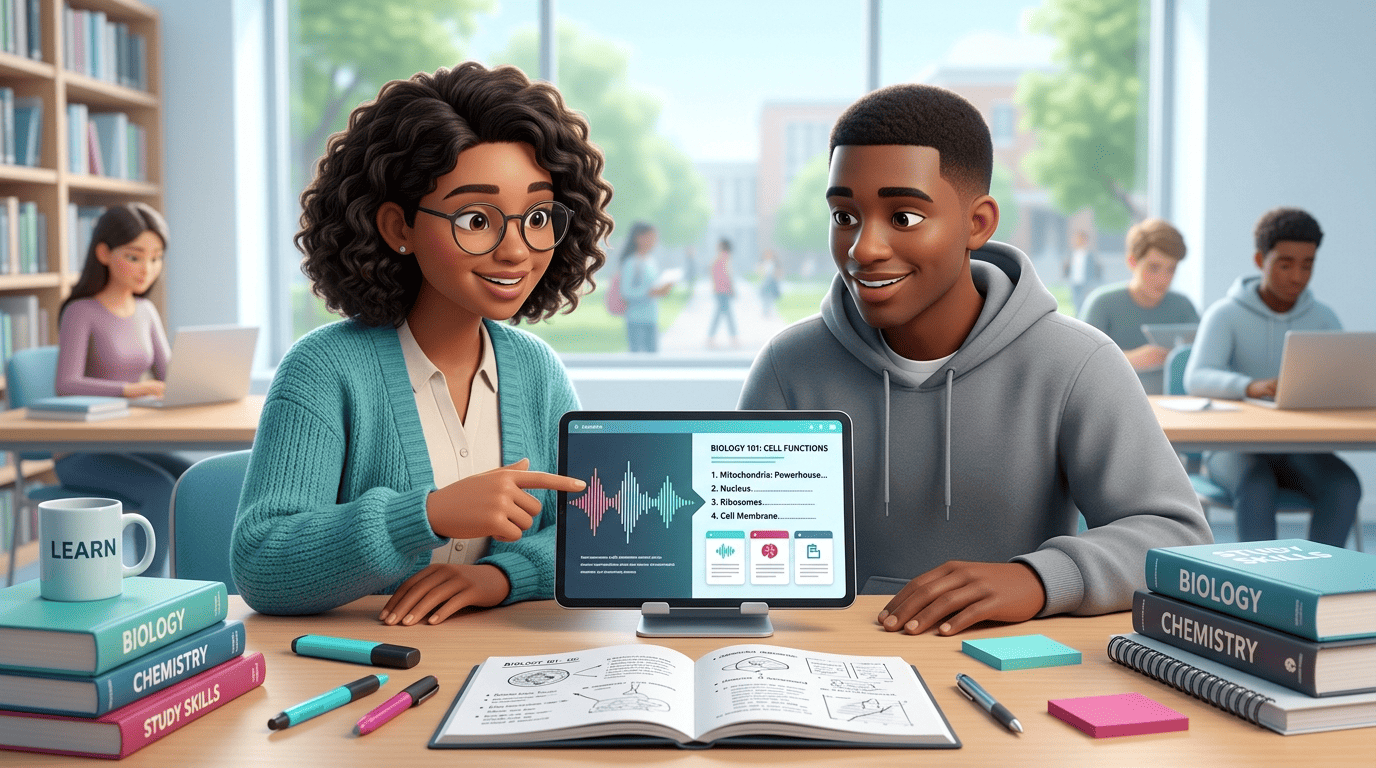
But a note taker is only useful if it makes YOU understand the material — not if it replaces your thinking. Below: what an AI note taker is, how it works, what to look for, and how to use one honestly and effectively.
What Is an AI Note Taker?
An AI note taker is software that captures a lecture, meeting, video, or PDF and automatically produces organized notes: a transcript, a short summary, key points, and often flashcards or quizzes. It is different from a plain voice recorder because it does the selecting, condensing, and structuring for you. Tools like NoteGPT (80M+ users, 12,000+ schools) and Turbo AI (5M+ students) are built specifically for studying, while an AI note-taking app aimed at meetings will label speakers and log decisions instead.
Note-taking itself is an active learning skill, not stenography. Per Wikipedia’s entry on note-taking, the average rate of speech is 2-3 words per second (120-180 wpm), while average handwriting is only 0.2-0.3 words per second (12-18 wpm) — you physically cannot write everything a lecturer says, so you must select and rephrase. That selection is where learning happens. An automatic note taker removes the transcription bottleneck so you can spend that energy on understanding rather than on keeping up.
How an AI Note Taker Works (Step by Step)
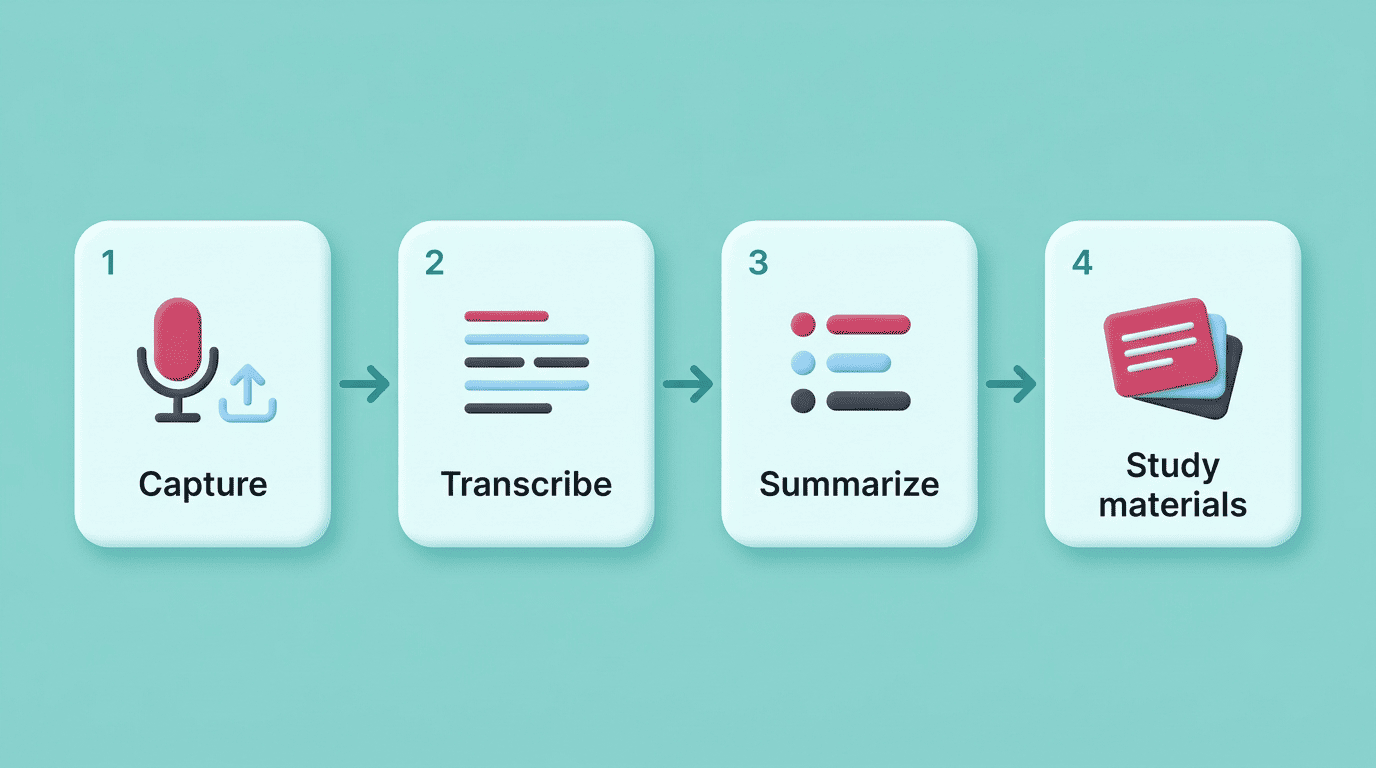
Every AI notetaker, whatever the interface, runs the same pipeline behind the scenes: it captures audio or text, converts it to a transcript, condenses that transcript, and — for study-focused tools — turns the result into materials you can actually rehearse with.
- Capture — record live audio, or upload a lecture video, YouTube link, PDF, or slides.
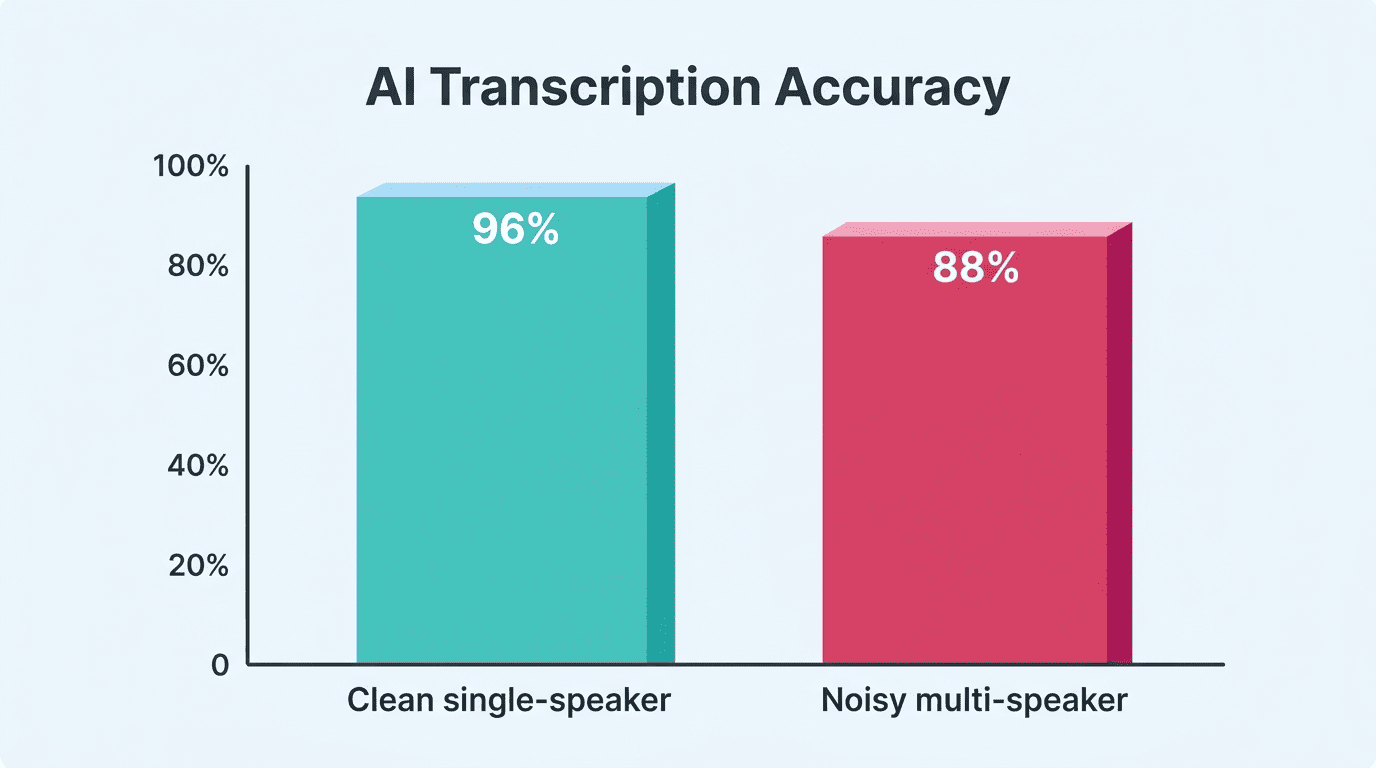
- Transcribe — speech-to-text with speaker labels runs on the audio, with accuracy that depends heavily on recording conditions (see the table below).
- Summarize — the AI condenses the transcript into key points, definitions, and action items; Turbo AI, for example, claims roughly 30-second processing for a typical lecture.
- Generate study materials — many tools then turn the same content into flashcards and quizzes for review.
Most study-focused AI lecture note takers accept a similar range of inputs, so you can feed in whatever format your course actually uses:
- PDFs and slide decks
- YouTube video links
- Audio file uploads
- Live lecture recordings
- Photos of handwritten or printed pages
Transcription accuracy is not fixed — it shifts with recording conditions. A useful way to think about it:
| Recording condition | Typical transcription accuracy |
|---|---|
| Clean single-speaker audio (quiet room, one lecturer) | ~95-98% |
| Noisy multi-speaker audio (group discussion, strong accents) | ~85-92% |
| Poor-quality phone recording from the back of a lecture hall | Noticeably lower, more manual correction needed |
That gap is exactly why the editable-notes feature covered next matters — accuracy is never 100%, so you need a way to fix what the AI got wrong.
The Honest Truth: A Note Taker Helps You Learn — It Doesn’t Do the Work for You
Use it to understand, not to cheat
An AI note taker is a study aid, not a shortcut around learning. It is meant to help you capture and review material so that you understand it — it should not write your graded assignments, sit your exams, or replace doing the reading. Using AI to submit work as your own can violate your school’s academic-integrity policy — Cornell’s Center for Teaching Innovation notes that most institutions expect students to disclose AI use and stay within what their instructor permits — so treat the tool as a way to learn faster, never as a way to skip learning.
Always double-check the AI
AI transcription and summaries make mistakes: misheard terms, wrong numbers, invented “facts” that were never said in the lecture. Treat every AI-generated note as a first draft and verify anything important against your textbook, slides, or instructor before you rely on it in an exam. This double-checking habit is the single most important academic-honesty rule with any AI notes app.
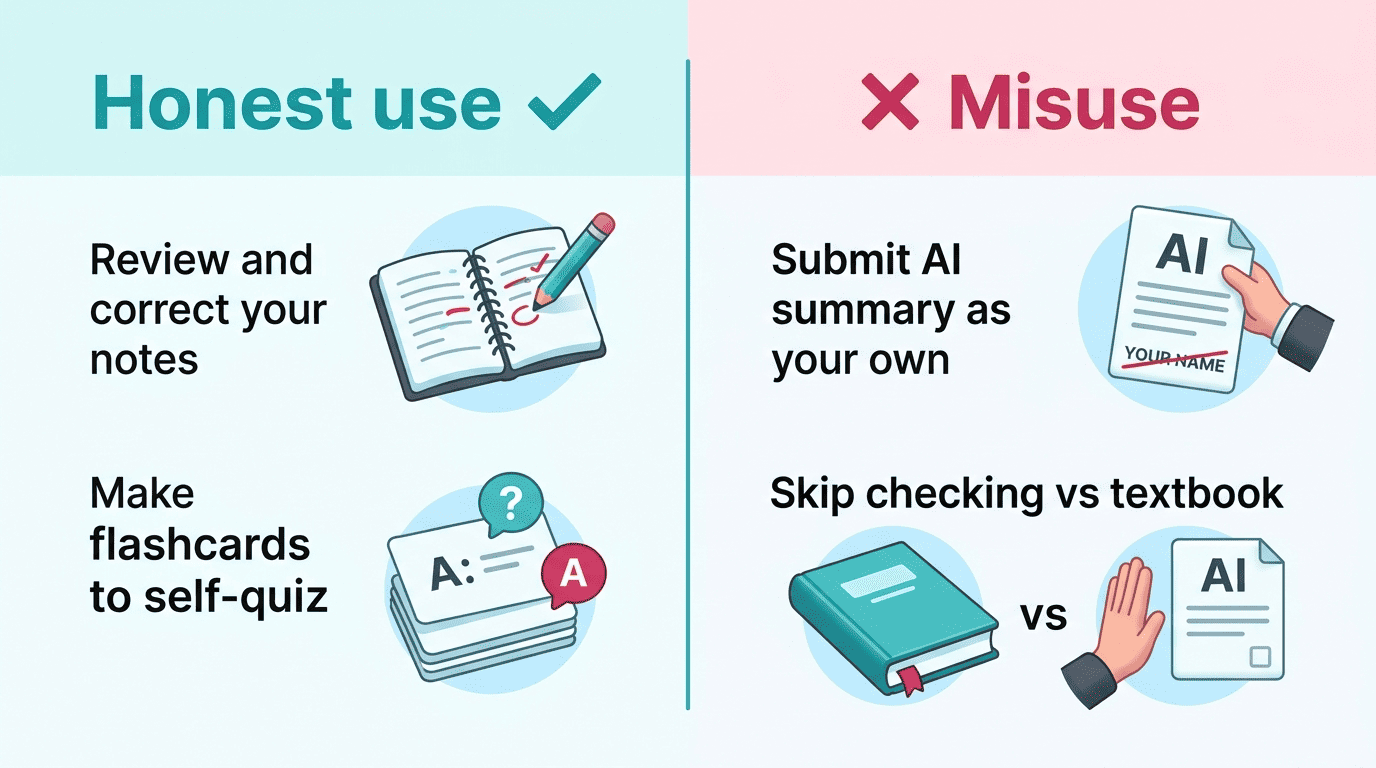
A quick way to tell honest use from misuse:
- Honest: using it to capture a lecture you attended, then reviewing and correcting the notes yourself
- Honest: turning your own reviewed notes into flashcards to quiz yourself before an exam
- Misuse: submitting an AI-generated summary as your own written assignment
- Misuse: relying on an AI note without checking it against the textbook or instructor before an exam
Research shows that taking notes by hand is more effective than typing on a laptop.
Cornell University — Learning Strategies Center
Key Features to Look For
Not every AI note-taking tool is built for coursework, so it helps to know which features actually matter for a student versus a corporate meeting.
Study-critical features
- Accurate transcription with speaker identification
- Editable notes (you should be able to correct and add to them)
- Flashcard and quiz generation for active recall
- Multiple input types (PDF, video, audio, YouTube)
- Search across your saved notes
- Broad language support — Krisp, for instance, covers 17+ languages
Editable, searchable notes matter more than raw transcription speed. A transcript you can’t fix or search through is barely more useful than the original recording; the tools worth paying for let you correct misheard terms and pull up a topic from three weeks ago in seconds.
Nice-to-have
These add convenience but aren’t essential the way the study-critical features above are:
- Calendar or LMS integrations
- A mobile app for capturing notes between classes
- Chat-with-your-notes — NoteGPT, for example, lets you chat with ChatGPT, Claude, DeepSeek, and Gemini directly over your captured material, handy for follow-up questions but not a substitute for the core transcription-to-summary pipeline
- Automatic tagging or folder organization by course
Popular AI Note Takers, Compared
Study-first tools and meeting-first tools both transcribe audio, but they’re optimized for different jobs.
| Tool | Built for | Scale | Best for |
|---|---|---|---|
| NoteGPT | Studying | 80M+ users, 12,000+ schools | Lectures, PDFs, flashcards, quizzes |
| Turbo AI | Studying | 5M+ students, ~99% claimed accuracy | PDFs/videos/audio into editable notes, flashcards, podcasts |
| Krisp | Meetings (usable for lectures) | 5M+ professionals, 96% transcription accuracy | Speaker labels, 17+ languages |
| Notta / tl;dv | Meetings (usable for lectures) | — | Recorded lecture transcription |
The AI note-taking market is growing fast: Granola, a meeting-focused competitor, raised a $43M Series B in May 2025, which signals how much investment is flowing into automatic transcription tools generally — even though study-first products like NoteGPT and Turbo AI remain the better fit for coursework specifically.
How to Use an AI Note Taker Effectively (Proven Study Methods)
Combine AI with a real method
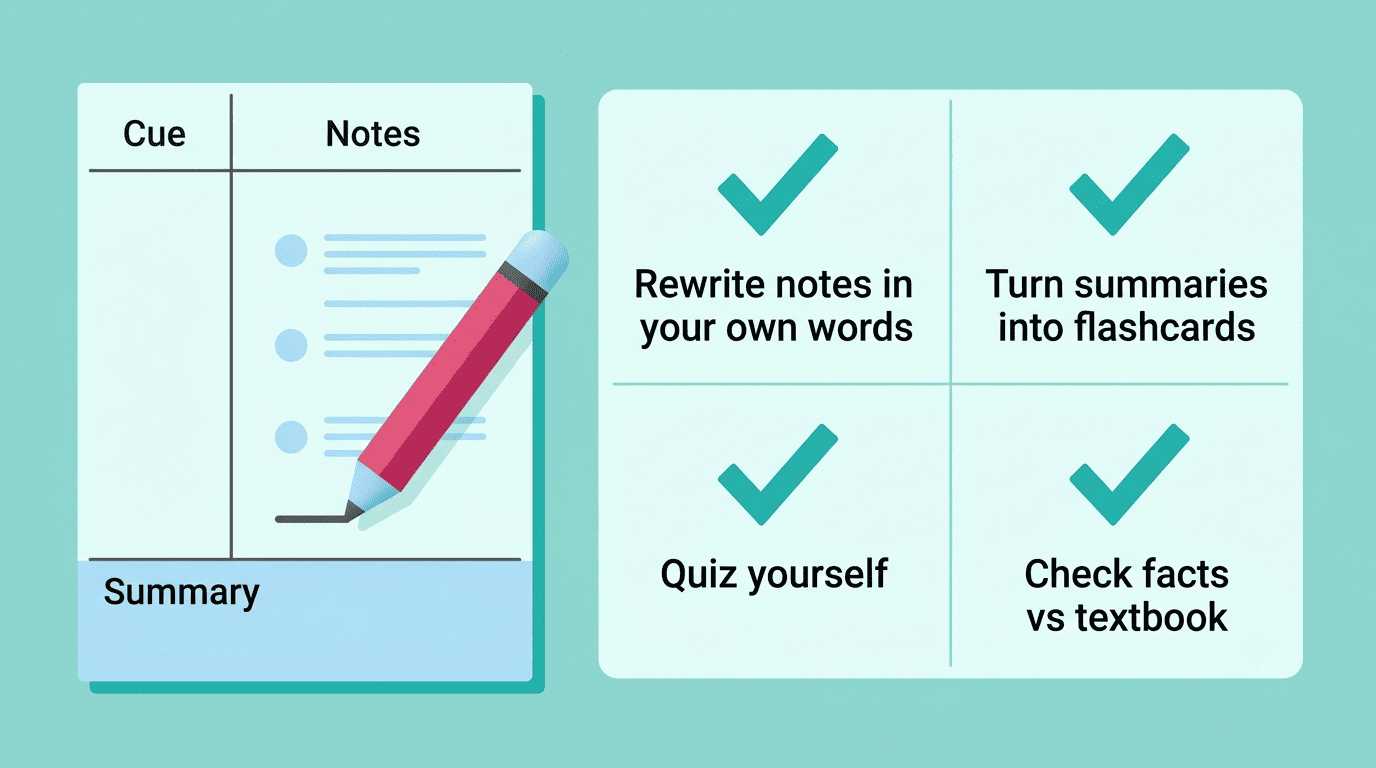
Let the AI produce the transcript and summary, then reorganize it yourself using a proven system like the Cornell Note-Taking System — developed by Walter Pauk at Cornell University and popularized in his book How to Study in College, first published in 1962 and revised in 1974. According to Cornell University’s Learning Strategies Center, the system divides a page into a note-taking column, a narrower cue column for questions and keywords, and a summary section at the bottom. Rewriting AI output into cues, notes, and a summary forces the active processing that makes information stick, rather than letting a finished summary just wash over you.
Review actively, don’t just re-read
Turn AI-generated summaries into flashcards and quiz yourself instead of rereading the transcript passively. Research summarized by Wikipedia found that students who took notes by hand — selecting and rephrasing as they went — performed better on exams than those who transcribed material verbatim, which is exactly the gap an AI note taker can close only if you engage with the output rather than just storing it.