
How to Study With AI: A Practical, Honest Guide That Actually Works
Studying with AI means using a free ai study tool to summarize your material, generate flashcards and quizzes, and explain concepts so you spend more time practicing and less time transcribing. Cognitive scientists have long shown that retrieval practice — testing yourself — beats re-reading, and that principle is documented in detail on Wikipedia’s page on the testing effect. In practice: feed in your notes or a PDF, then have the AI turn them into flashcards, quizzes, and plain-language explanations you test yourself against.
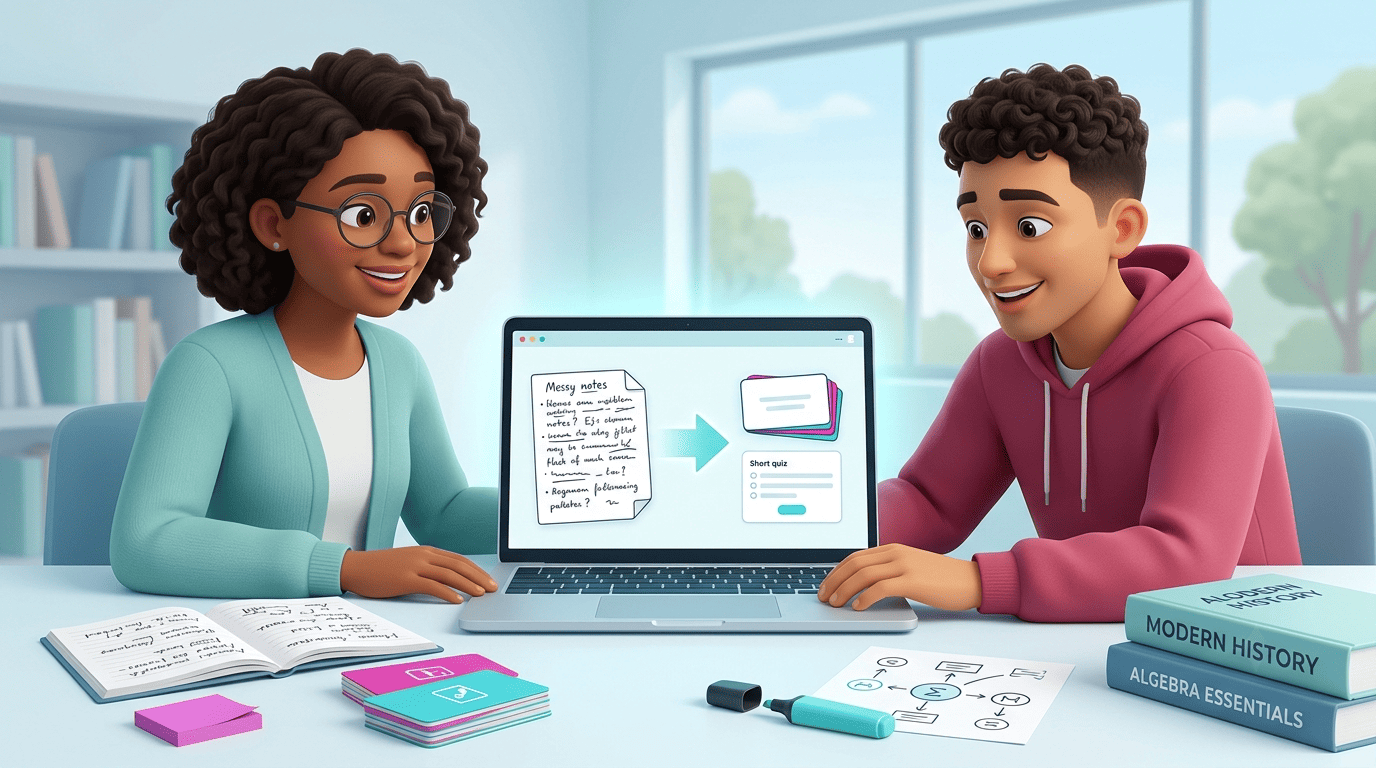
The catch is that AI only helps you learn if you use it to do the work that builds memory — testing yourself and explaining ideas back — not to skip that work entirely. This guide covers the methods that actually work, grounded in learning science, plus the accuracy and academic-honesty rules that keep you on the right side of your school’s policy.
What Does It Mean to Study With AI?
Studying with AI isn’t asking it for the final answer to a problem set. It’s turning your own material — lecture notes, a textbook chapter, a slide deck — into things you can actively practice with: summaries, flashcards, quizzes, and step-by-step explanations. Tools built around this loop already have real traction; some AI study platforms claim well over 100,000 student users of exactly this workflow, though — like most self-reported adoption numbers in this space — those figures come from the companies themselves rather than independent audits.
Active use, not passive answers
The distinction that matters is simple: generating a quiz from your notes and then testing yourself on it is studying. Asking AI to write your essay or solve your homework for you is not — that’s outsourcing the work the assignment exists to make you do. The tool is identical in both cases; the difference is what you do with the output. Everything in this guide assumes the first kind of use.
The Best Ways to Study With AI
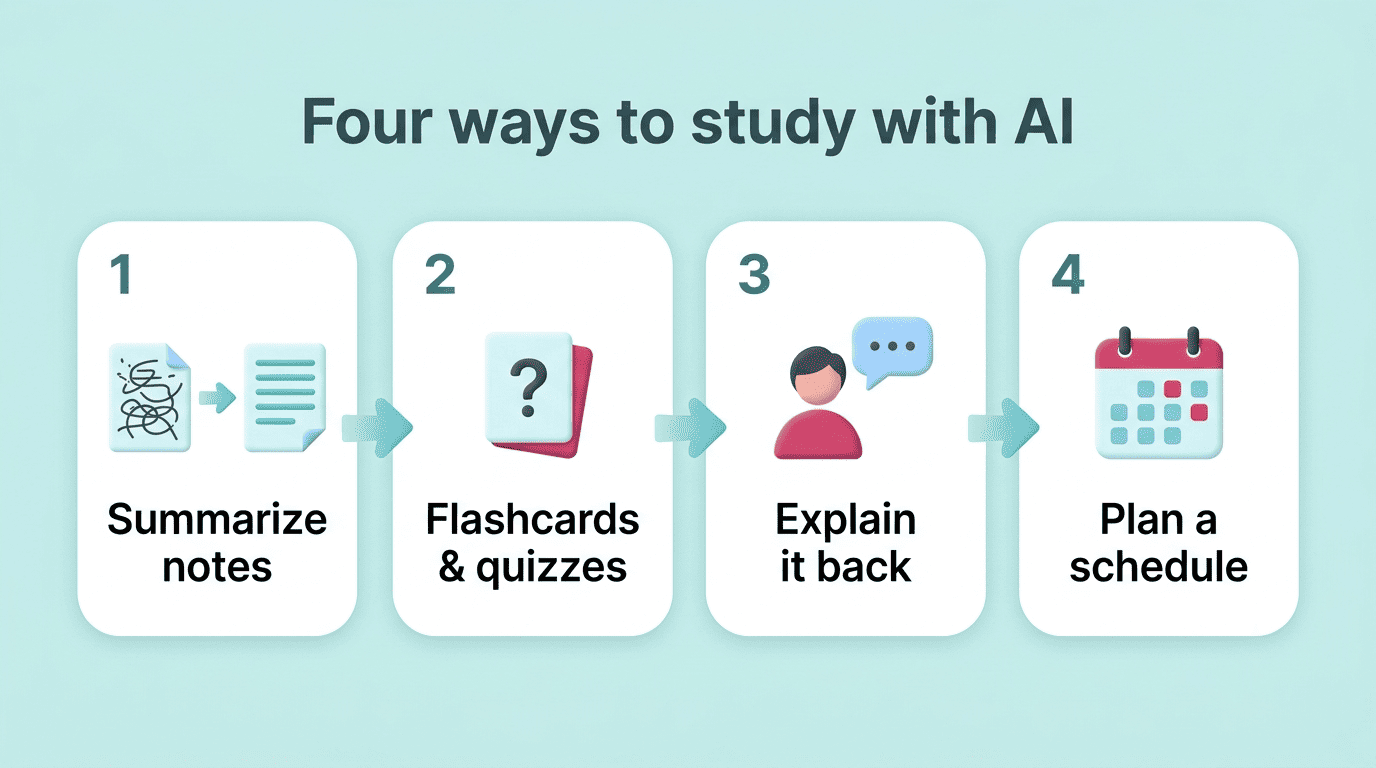
There isn’t one “right” way to use AI for schoolwork — it depends on what stage you’re at and what you’re trying to remember. The methods below cover the full arc of a study session, from first pass through a topic to the night before an exam:
- Summarize and structure messy notes into a clean study guide
- Generate flashcards and quizzes from that material for self-testing
- Explain hard concepts in plain language, then in more depth
- Draft a revision timetable that spaces sessions over time
Summarize and structure your material
Turn messy lecture notes, a scanned PDF, or a dense textbook chapter into a clean summary or study guide. This is genuinely useful for orienting yourself before you dive into a new topic — it tells you what the key ideas are and how they connect. But a summary is the start of studying, not the end. Reading a well-organized summary feels like learning, but on its own it barely moves the needle on what you’ll actually remember at test time.
Make flashcards and quizzes to self-test
Have the AI generate flashcards and practice quizzes directly from your notes, then close the notes and test yourself. This is the highest-value use of an ai study helper because it forces retrieval — pulling an answer out of memory rather than recognizing it on a page — which is the mechanism that actually strengthens recall.
Explain hard concepts in plain language
Ask the AI to explain a tough concept simply, then in more depth, then with an analogy, and ask follow-up questions the way you would with a tutor. Then close the chat and explain the concept back in your own words without looking — this is the core of the Feynman Technique, and any gap or stumble tells you exactly what to re-study.
Plan and organize your study time
AI can draft a revision timetable, break a large topic into a spaced schedule, or estimate how many sessions you need before an exam. This is useful scaffolding for students who struggle to plan on their own, but the tool can only draft the schedule — you still have to actually sit down and do the sessions.
Here’s a quick reference for which method fits which stage of studying:
| Study stage | Best AI method | What it builds |
|---|---|---|
| First pass through material | Summarize and structure | Orientation, not memory |
| Building memory | Flashcards and quizzes | Retrieval strength |
| Checking understanding | Explain it back (Feynman) | Depth, gap-finding |
| Before an exam | Timetable and spaced re-quizzing | Consolidation |
How to Study With AI Effectively (The Learning Science)
Using AI well means aiming it at strategies that cognitive science has already shown work, rather than reinventing your study habits from scratch. Two ideas do most of the heavy lifting: testing yourself, and spacing that testing out over time.
Test yourself, don’t re-read
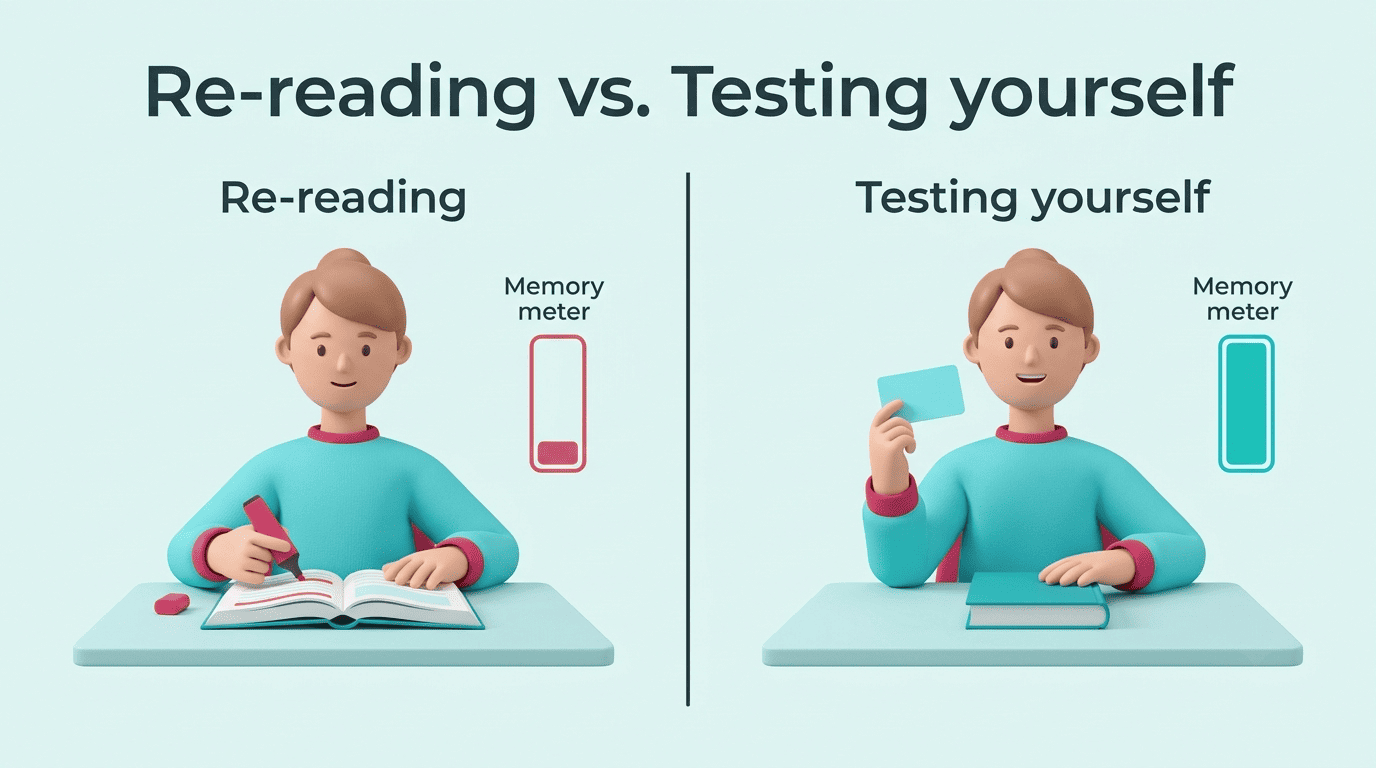
Retrieval practice — often called the testing effect — is one of the most robust findings in learning research, and it consistently outperforms re-reading or highlighting a text. Wikipedia’s summary of the testing effect lays out decades of experiments showing that the act of retrieving information strengthens memory more than passively reviewing it does. An AI study companion doesn’t change that science — it just removes the friction of writing the quiz questions yourself.
Space it out
Don’t cram everything into one long session the night before. Re-quiz yourself over increasing intervals — same day, then two days later, then a week later — so memory has time to consolidate between sessions. The mechanism is well documented on Wikipedia’s spaced repetition page. A practical routine:
- Generate a first quiz from your notes right after class.
- Take it the same day and mark what you missed.
- Ask the AI to regenerate a quiz focused only on your weak spots.
- Re-take that quiz two days later.
- Re-take it again about a week later.
- Repeat the weak-spot cycle until you’re consistently correct.
- Do a final full review the day before the exam.
Explain it back
The fastest way to find a gap in your understanding is to teach the idea out loud, in your own words, without notes. Wherever you stumble or go vague is exactly what needs more work. AI is a tireless audience for this — it will let you explain the same concept five times in a row without getting bored, and it can push back with follow-up questions a study partner might not think to ask.
Risks: Accuracy, Hallucinations, and Over-Reliance
AI study tools are genuinely useful, but they are not infallible, and treating them as an oracle is where students get into trouble.
AI can be confidently wrong
Be direct about this: AI can hallucinate facts, misstate dates, and invent citations that don’t exist — and it will state all of it with the same confident tone as something true. A peer-reviewed study of undergraduates using generative AI for coursework found that students themselves flagged this problem repeatedly.
It still cannot replace human for now. It’s not accurate enough and to me just not trustworthy.
Undergraduate student, NCBI study on AI adoption in coursework
That same research on AI use among university students documented students catching AI-generated citations that turned out not to exist, and material that “may not always capture nuances or context-specific details accurately.” The rule that follows is simple: always verify what an AI gives you against your textbook, your class notes, or your teacher before you treat it as fact.
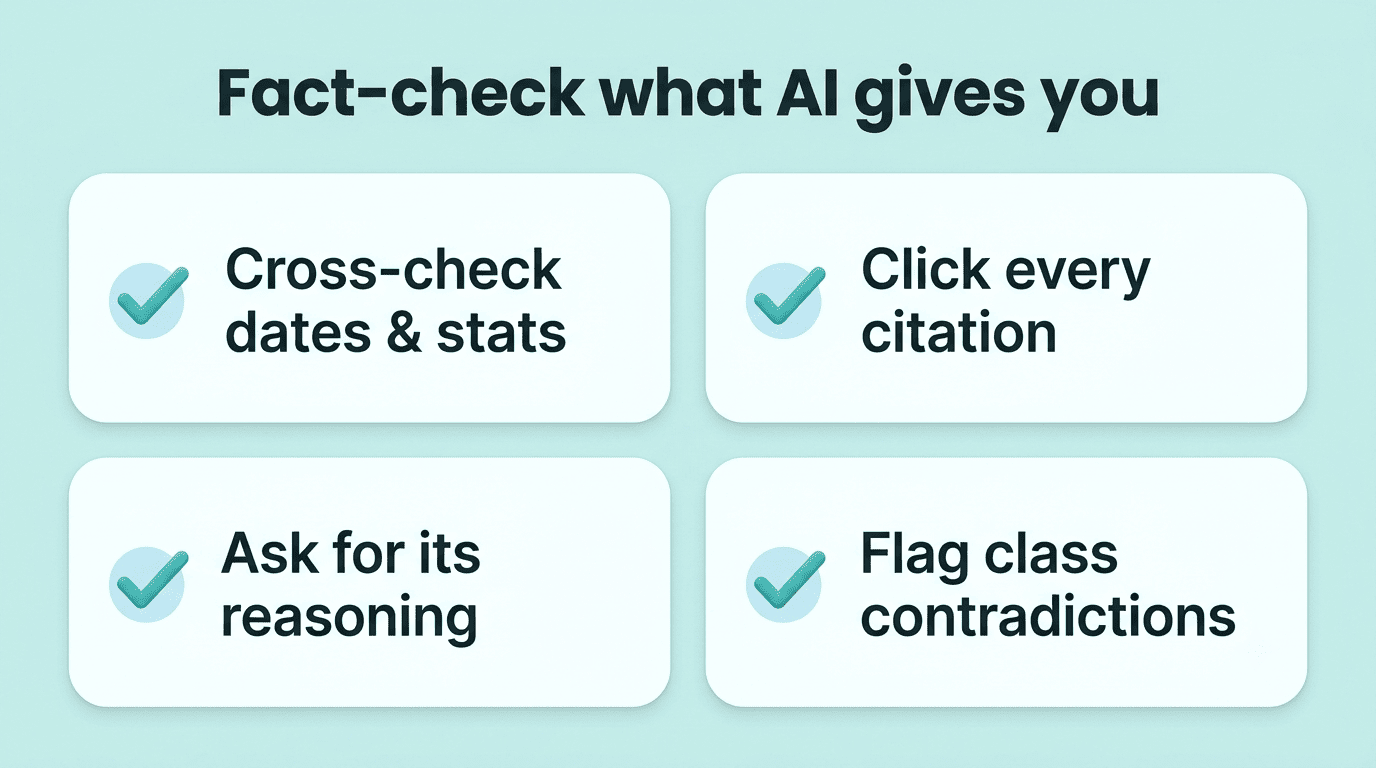
A quick way to keep yourself honest about accuracy:
- Cross-check any date, name, or statistic against your textbook or course material
- Click through any citation the AI gives you — confirm it actually exists
- Ask the AI to explain its reasoning, not just state a conclusion
- Flag anything that contradicts what your teacher said in class
Don’t outsource your thinking
The same research also warns about over-reliance — leaning on AI for your foundational understanding of a subject instead of building that understanding yourself. In the study, students who used AI well described splitting tasks deliberately, as the table below shows.
| Task type | Example | Who should lead |
|---|---|---|
| Higher-order (understanding) | Grasping a new concept, evaluating evidence | You, with AI as a sounding board |
| Lower-order (mechanical) | Editing, proofreading, paraphrasing | AI can handle most of it |
Use AI to supplement what you already know, not to replace the effort that creates knowledge in the first place — that split is what separated effective AI users from over-reliant ones in the study.
Is Studying With AI Cheating?
This is the question students ask most, and the honest answer depends entirely on what you submit versus what you use privately to learn.
Learning vs submitting
Here’s the disclaimer worth pinning above your desk: using AI to make flashcards, quizzes, summaries, and explanations for yourself is studying, not cheating — it helps you understand and remember material, the same way a tutor or a study group would. Submitting AI-written work as your own — an essay, a problem set, a lab report you didn’t actually write or solve — is a different act entirely, and it can violate your school’s academic-integrity policy. Wikipedia’s page on academic integrity covers how institutions define and enforce this line, and it’s worth reading if you’re unsure where your school draws it.

One more thing worth repeating here: AI can be wrong, so double-check anything it generates — a flashcard with a wrong date or a quiz question built on a hallucinated fact will actively hurt you at test time if you don’t catch it. Building a self-testing habit around a reliable ai study tool works well specifically because you stay the one checking the output, not the one blindly trusting it.
Check your course policy first
Rules differ by class, by instructor, and by school — some explicitly allow AI for brainstorming and self-testing but ban it for drafting graded text; others restrict it entirely. Before you build AI into your routine, check your instructor’s syllabus or ask them directly what’s allowed. When a policy is unclear or silent on AI, ask rather than assume — it’s a much smaller conversation than an academic-integrity hearing.
A few places to look before you assume a policy either way:
- The syllabus section on academic integrity or permitted tools
- Your school’s general academic-integrity policy page
- Assignment instructions, which sometimes set stricter per-task rules
- A direct question to your instructor if none of the above says anything